
Connect Guesty to WelcomeFlo
Step-by-step instructions for connecting your Guesty Pro account to WelcomeFlo, including where to create your API application.
Updated
WelcomeFlo connects to Guesty Pro's Open API. Guesty for Hosts (sometimes called Guesty Lite) isn't supported — if that's what you use, Hostaway or manually sharing your guide link are your options instead.
Connecting Guesty requires a Pro or Business plan, and only the account Owner and Admins can do it.
Get your Guesty credentials
- Sign in to Guesty.
- Go to Integrations → API & Webhooks.
- Create a Guesty Pro Open API application.
- Keep that page open — you'll need the Client ID and Client Secret it gives you.
Connect in WelcomeFlo
- Go to Integrations in the dashboard.
- On the Guesty card, select Connect Guesty.
- Enter your Client ID and Client Secret.
- Select Connect.
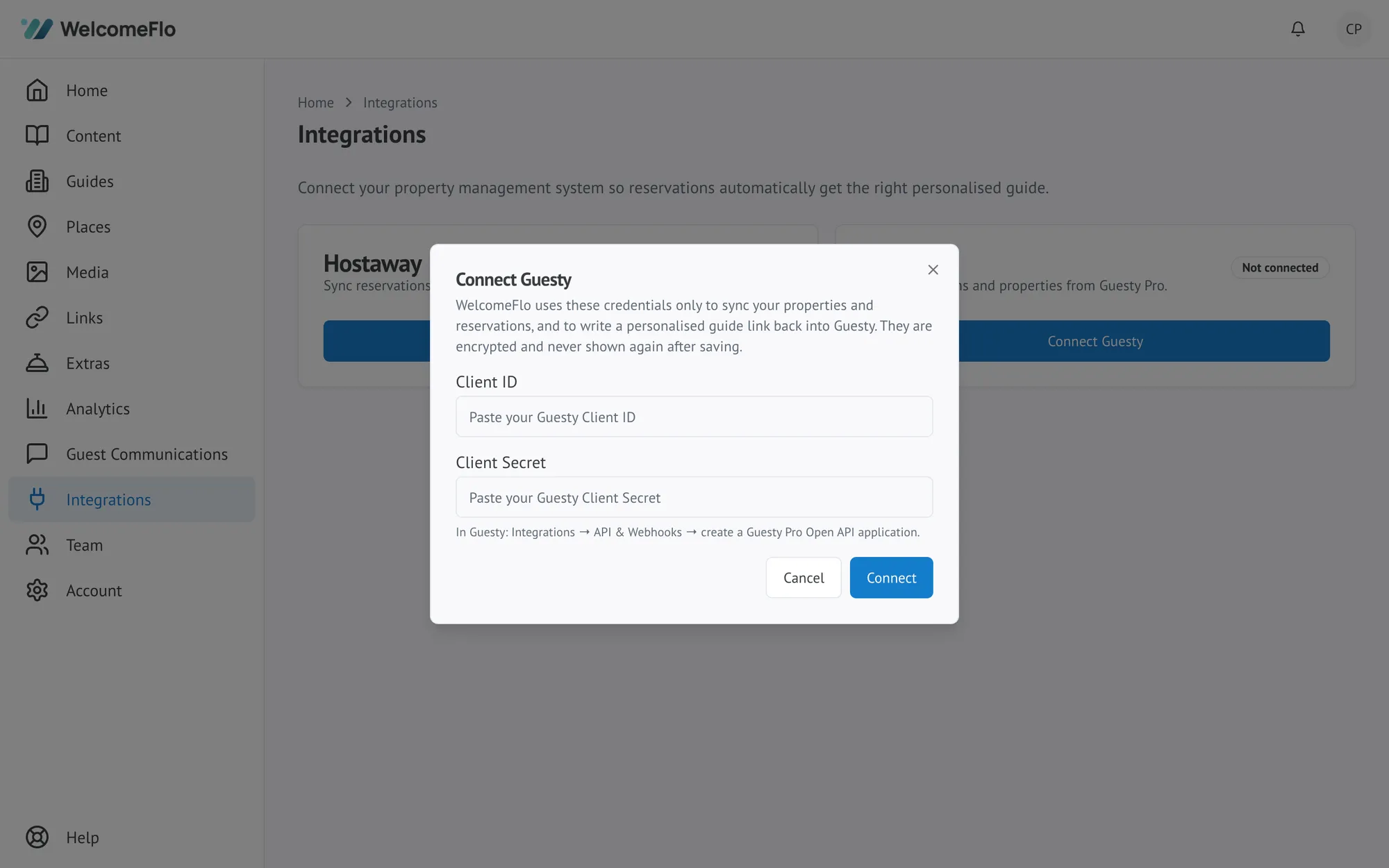
WelcomeFlo uses these only to sync your properties and reservations, and to write a personalised guide link back into Guesty. They're encrypted and never shown again after saving.
After connecting
The Guesty card shows Connected, your Guesty account name or ID, and when it last synced successfully. From here you can:
- Select Test connection at any time to confirm WelcomeFlo can still authenticate with Guesty.
- Select Properties to bring in your listings and map them to guides — see Map properties and sync reservations.
- Choose how guides reach guests — Use Guesty messaging, Send with WelcomeFlo, or Both — covered in About Guest Communications.
Reconnecting or disconnecting
Selecting Disconnect stops syncing and stops writing guide links into Guesty, but keeps your guides, property mappings and reservation history exactly as they are. Reconnecting with valid credentials restores everything — you won't need to remap your properties.
If it won't connect
See Troubleshoot your PMS connection for common errors like an invalid Client Secret or a connection that needs attention.
