
Digital guest guides

Create a guest guide that answers questions before guests ask.

Create a polished mobile guest guide in minutes from a template, your Airbnb or Booking.com listing, or an existing guide. Give guests everything they need before, during and after their stay — all through one link or QR code, with no app required.

Free forever for one guide. No credit card required. Unlimited guest views.

4.9/5 average host rating
Trusted by 400+ hosts & managers
Live interactive demo
welcomeflo.com/demoguide
Click to interact
Click, scroll and explore the guide.Open full-screen demo
Hosts & property managers
400+Hosts & property managers
Guest visits served
120K+Guest visits served
Guest guides created
1000+Guest guides created
Average host rating
4.9/5Average host rating

Made for independent hosts and property managers.

Share your guide through Airbnb, Booking.com, Vrbo, email, SMS, WhatsApp or QR code.

Our guests now have one place for every arrival question, and we spend far less time repeating check-in details. It paid for itself in the first week.

Sarah Mitchell

Superhost · The Blue Ridge Cabin · Asheville, NC

Fewer repetitive questions

Give guests a clear place to find arrival details, Wi-Fi, house information and answers during their stay.

A better guest experience

Share one mobile-friendly guide that feels like part of the property rather than another PDF or message thread.

Easier to keep up to date

Change something once and guests see the latest information without another attachment or re-send.

Create your guide

Start with what you already have.

You do not need to rebuild everything by hand. Start from a ready-made template, bring in an existing guide or use details from a public listing.

  • Choose a template

    Start with a guide structure designed for your type of stay.

  • Generate from listing

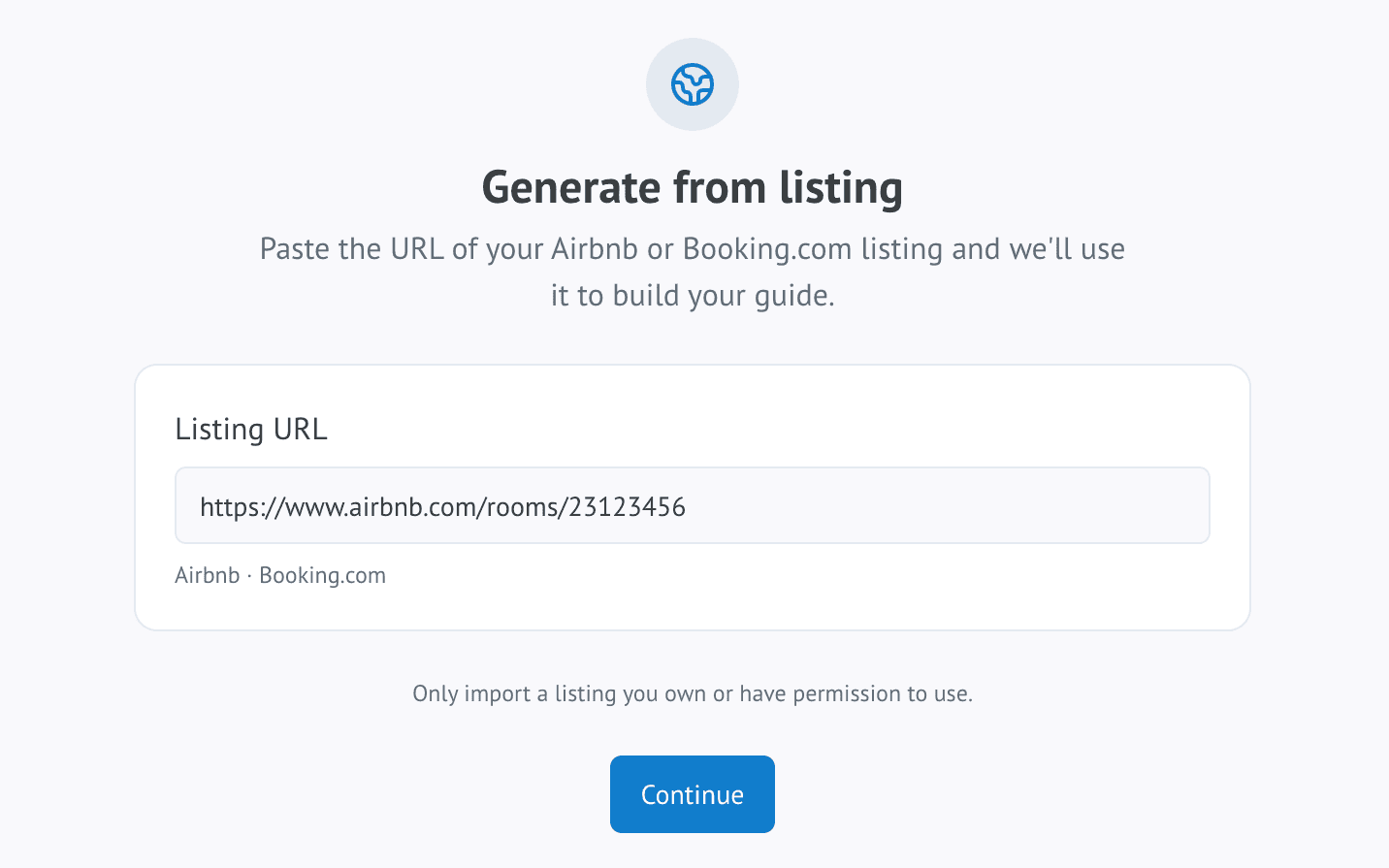
    Bring in useful details from a supported Airbnb or Booking.com listing.

  • Import an existing guide

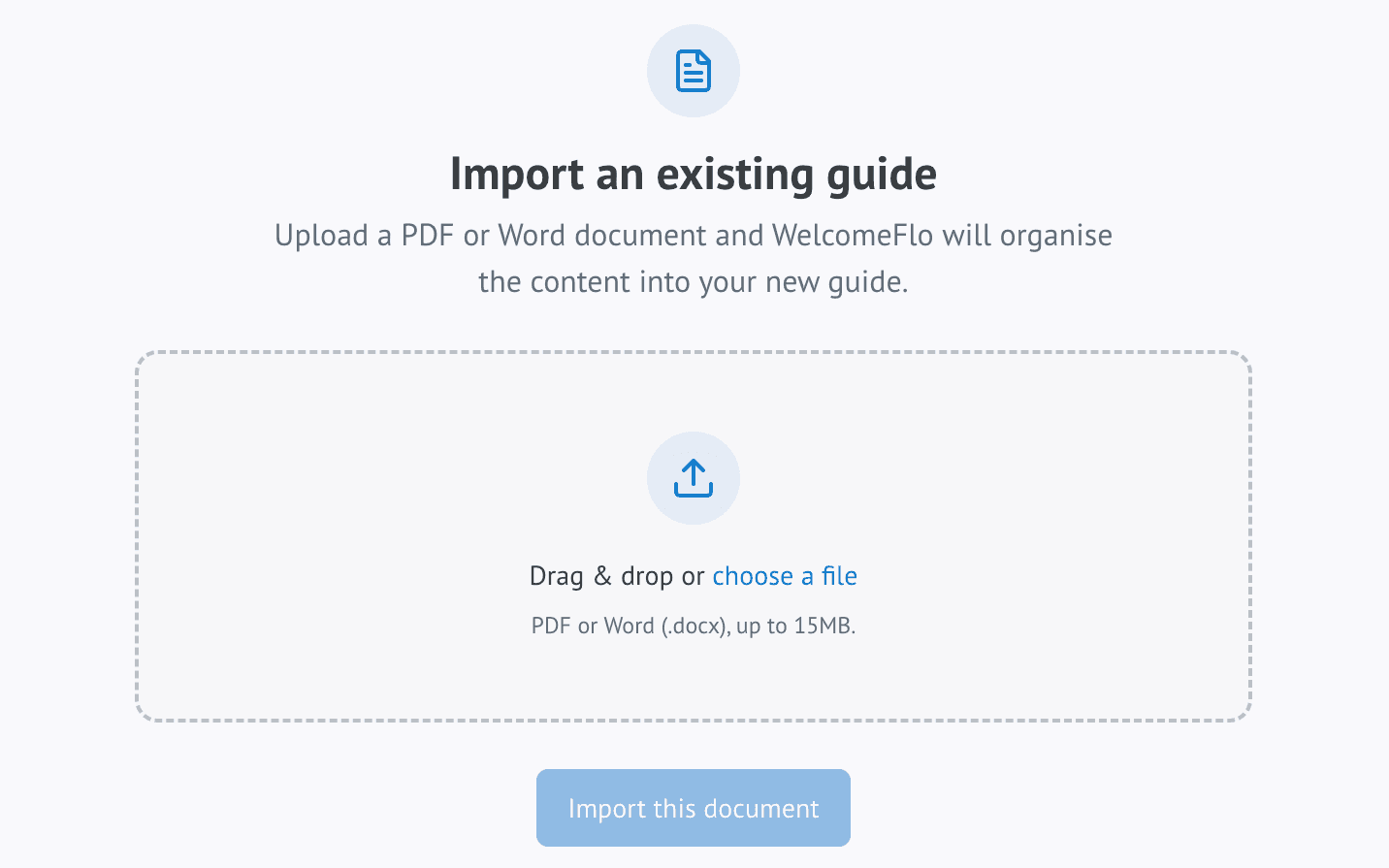
    Turn a PDF or DOCX guide into editable WelcomeFlo content.

The WelcomeFlo create-guide screen, showing the choice between a template, a listing import, a document import and starting from scratch

How WelcomeFlo works

From property details to a guest-ready guide in three steps.

Build it once in a simple editor, make it yours, and share a single link that every guest can open on any phone.

1

Start faster

Use a template, import what you already have or begin from scratch.

2

Make it yours

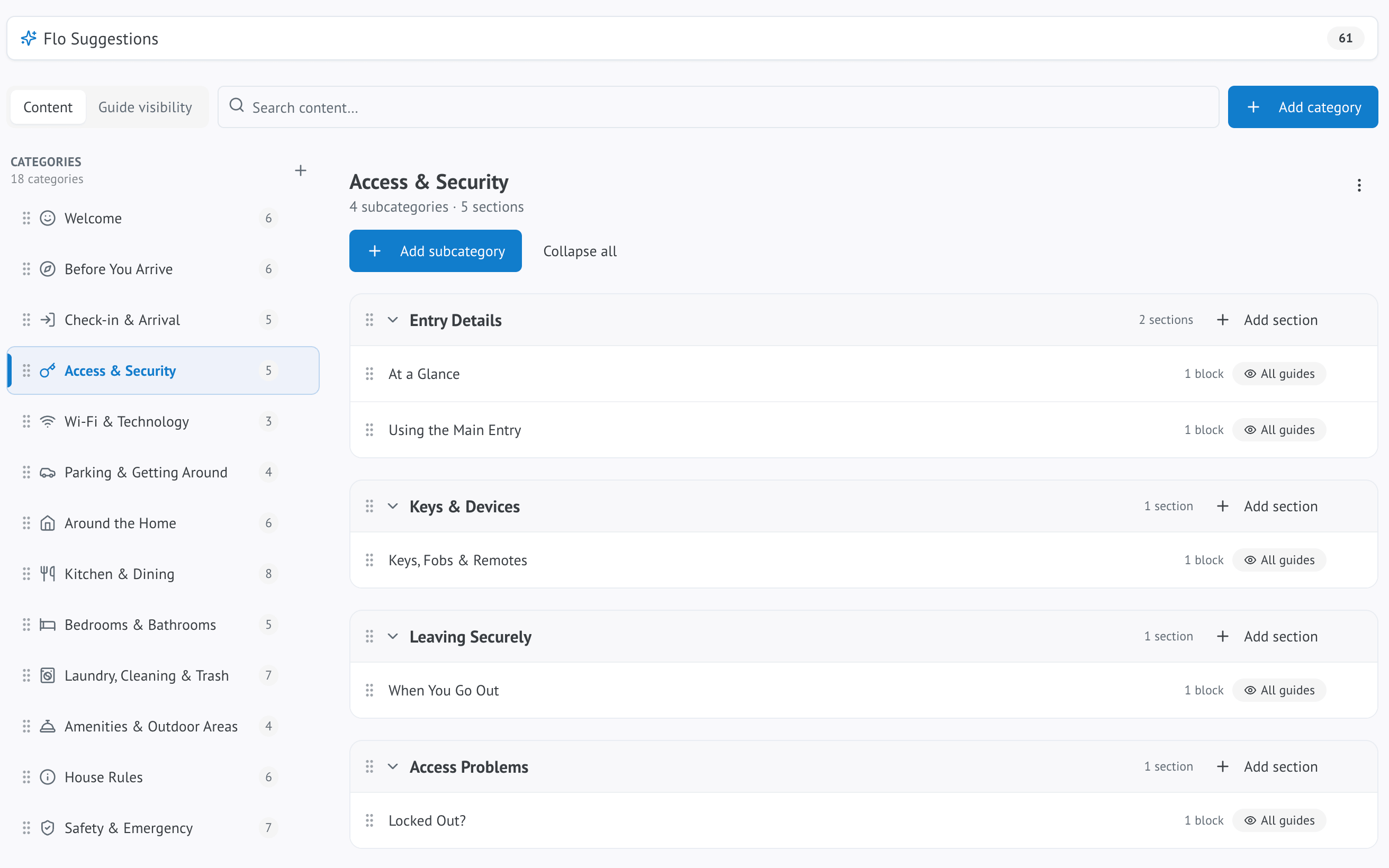
Review your content, add your photos and branding, organise the guide and let Flo help where useful.

3

Share one guide

Send the link, QR code or other sharing option and update the same guide whenever something changes.

The WelcomeFlo dashboard guide editor, showing a guide's category and section structure

Guest experience

One guide. Five simple places to look.

Guests do not need to understand your dashboard or search old messages. WelcomeFlo organises the stay around the things they actually need.

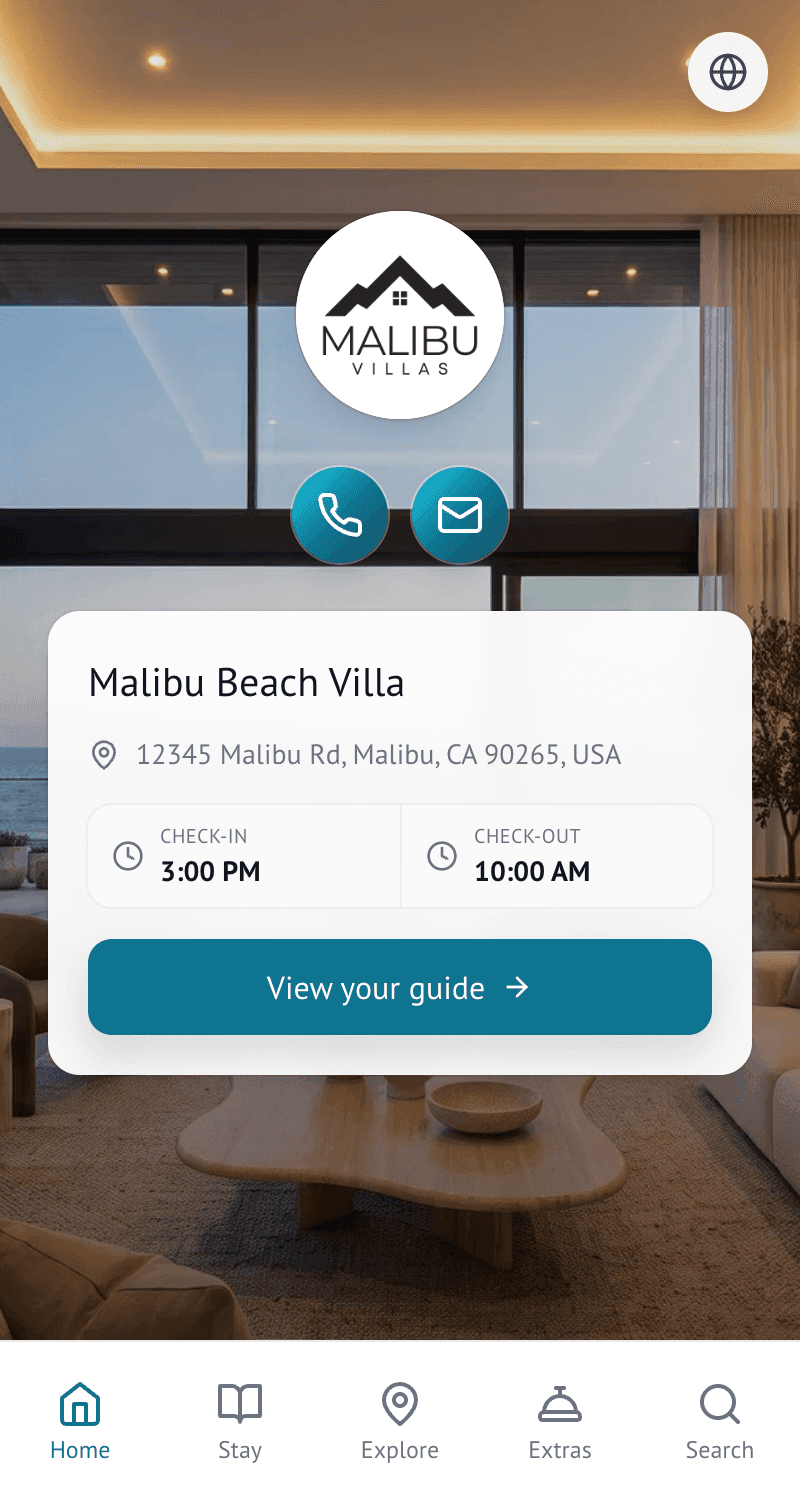
Home

A clear welcome

Property details, host contact, check-in and check-out information and useful at-a-glance details.

The Home screen of the Malibu Beach Villa guest guide, showing property details and check-in and check-out times
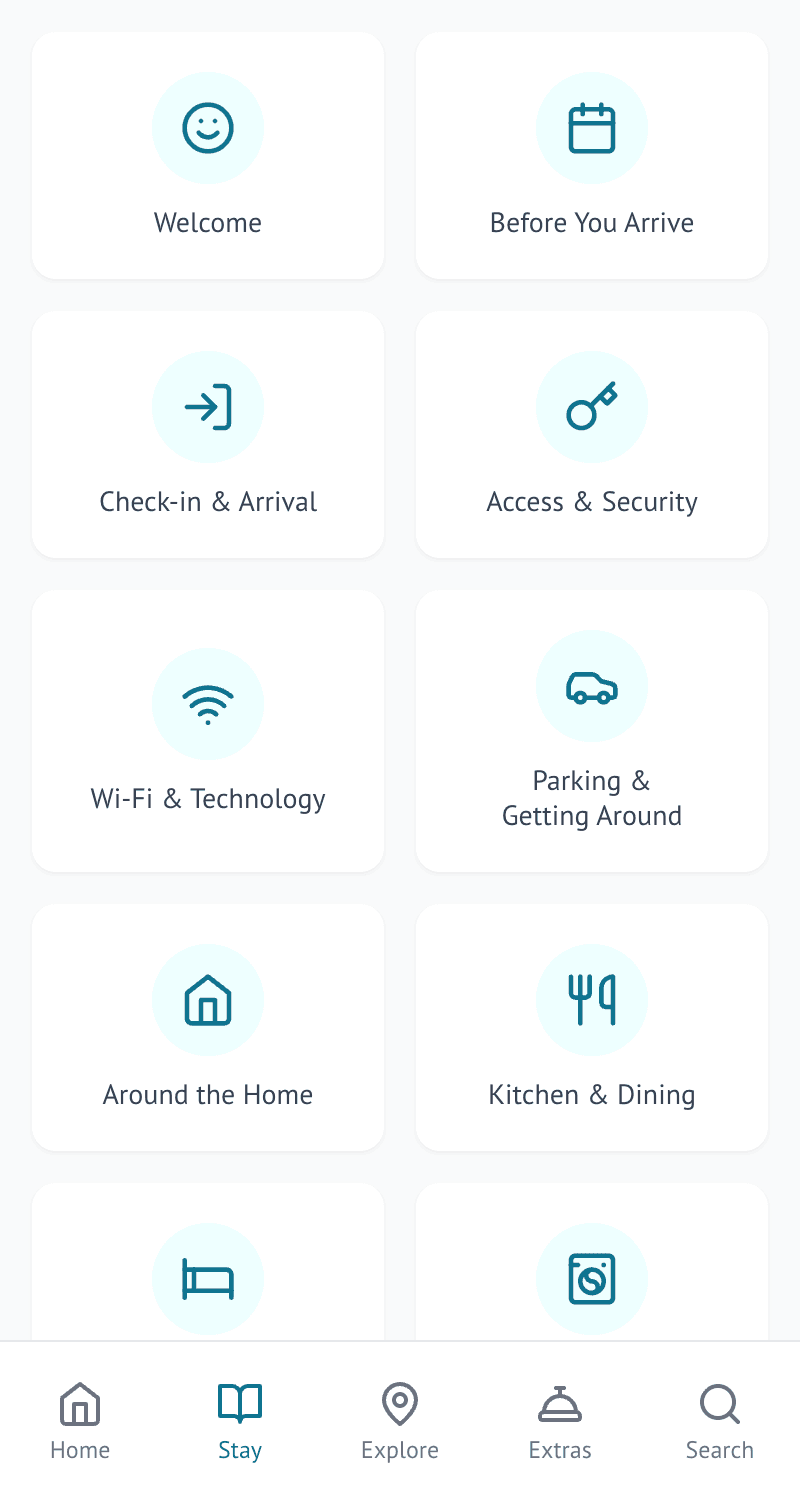
Stay

Everything at the property

Arrival instructions, Wi-Fi, house rules, appliance information and everything guests need on site.

The Stay screen of the Malibu Beach Villa guest guide, showing Wi-Fi, house rules and property information
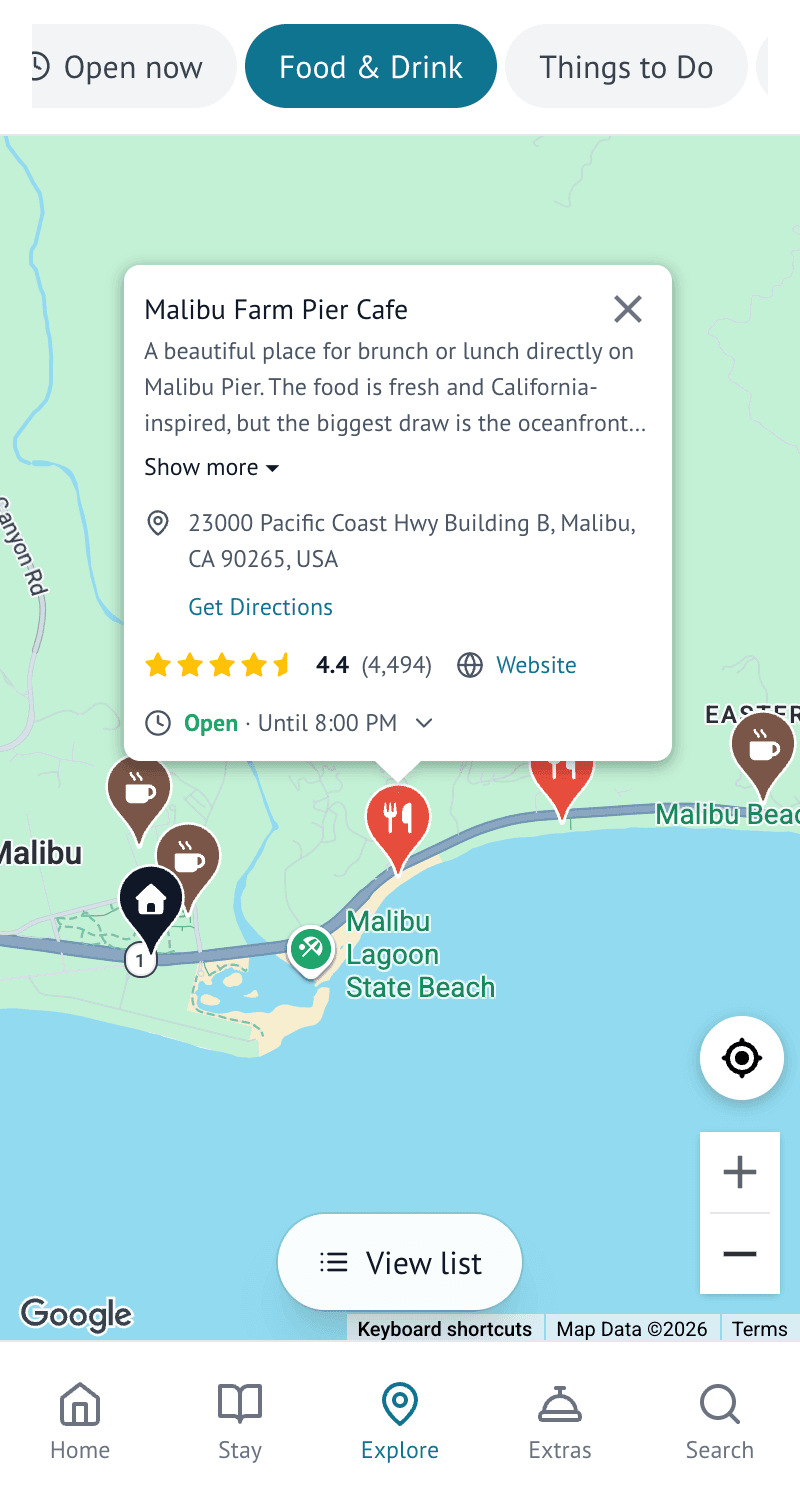
Explore

Your local knowledge

Host recommendations with useful place information, maps and directions.

The Explore screen of the Malibu Beach Villa guest guide, showing host-recommended local places
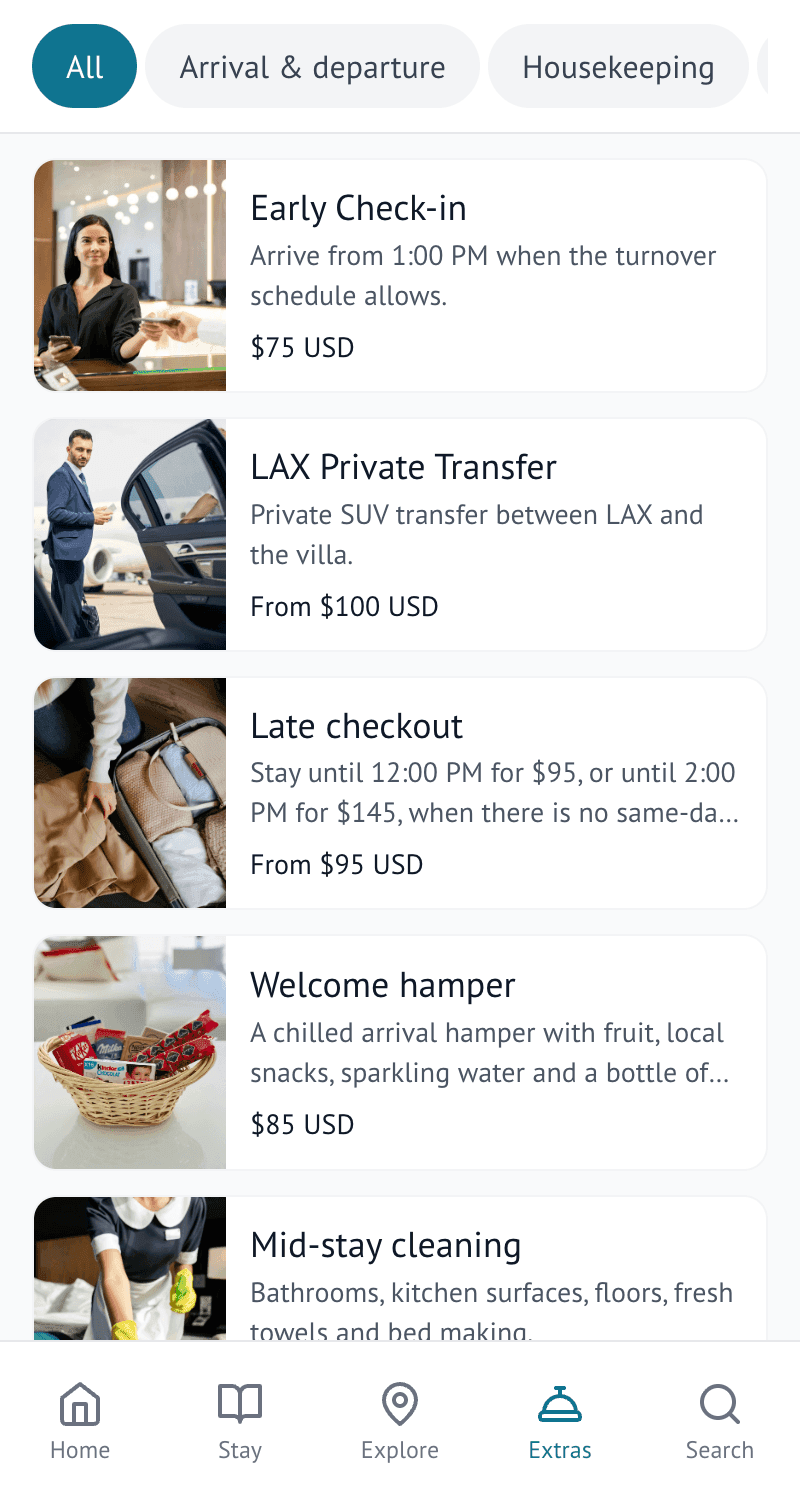
Extras

More ways to enjoy the stay

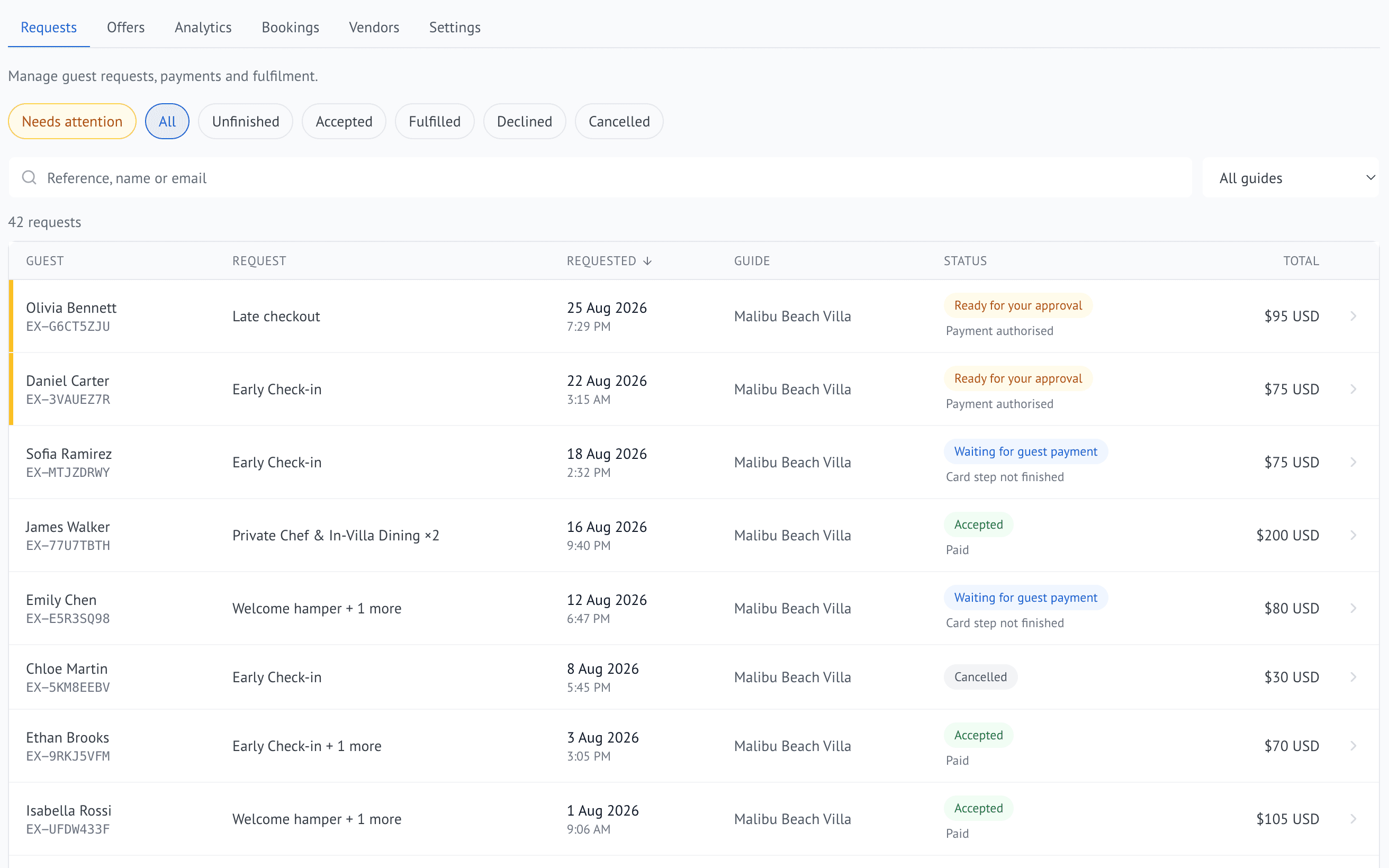
Optional services and add-ons such as early check-in, late checkout, transfers or experiences.

The Extras screen of the Malibu Beach Villa guest guide, showing optional services a guest can request
Search

A quick answer

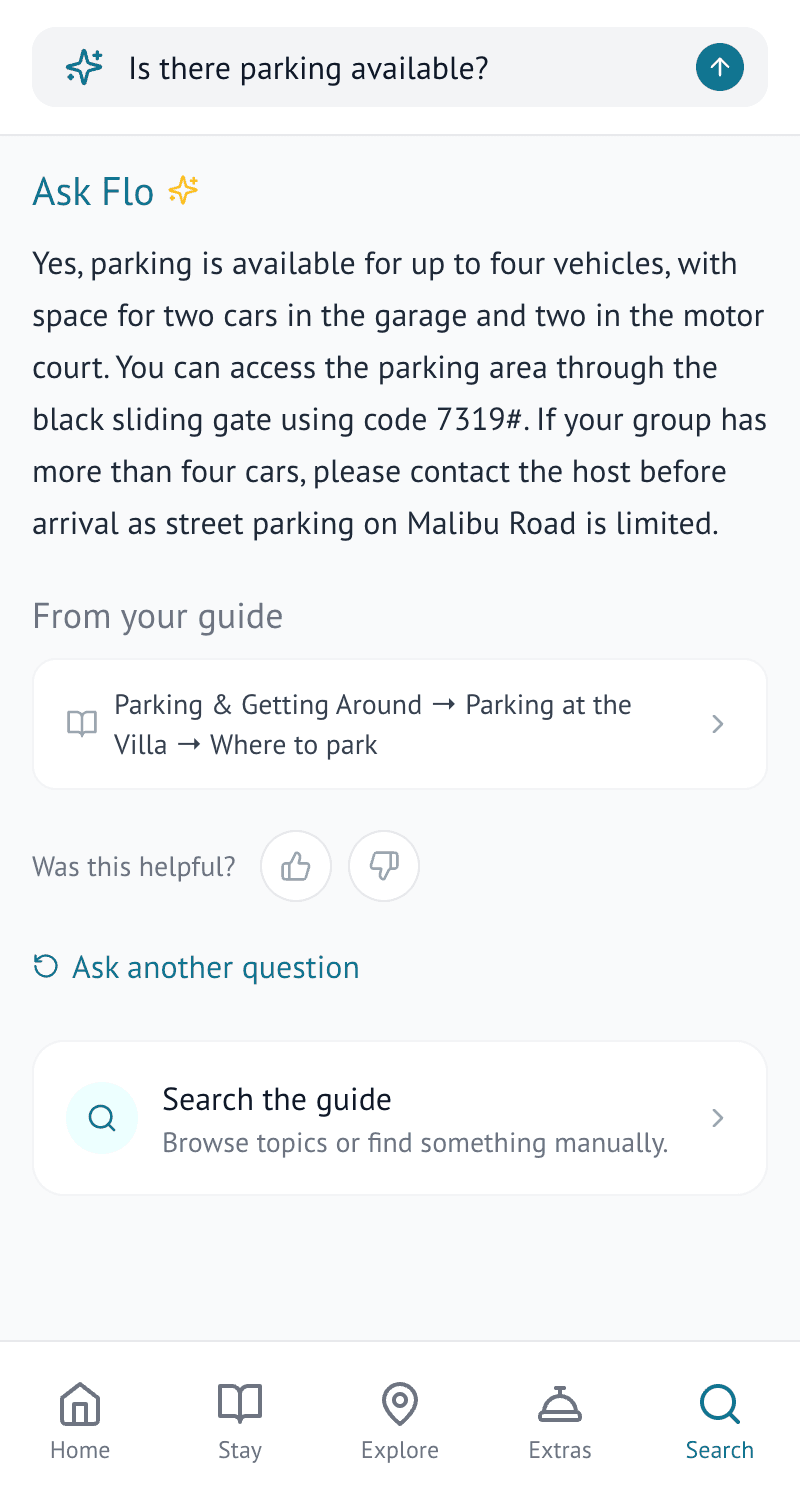
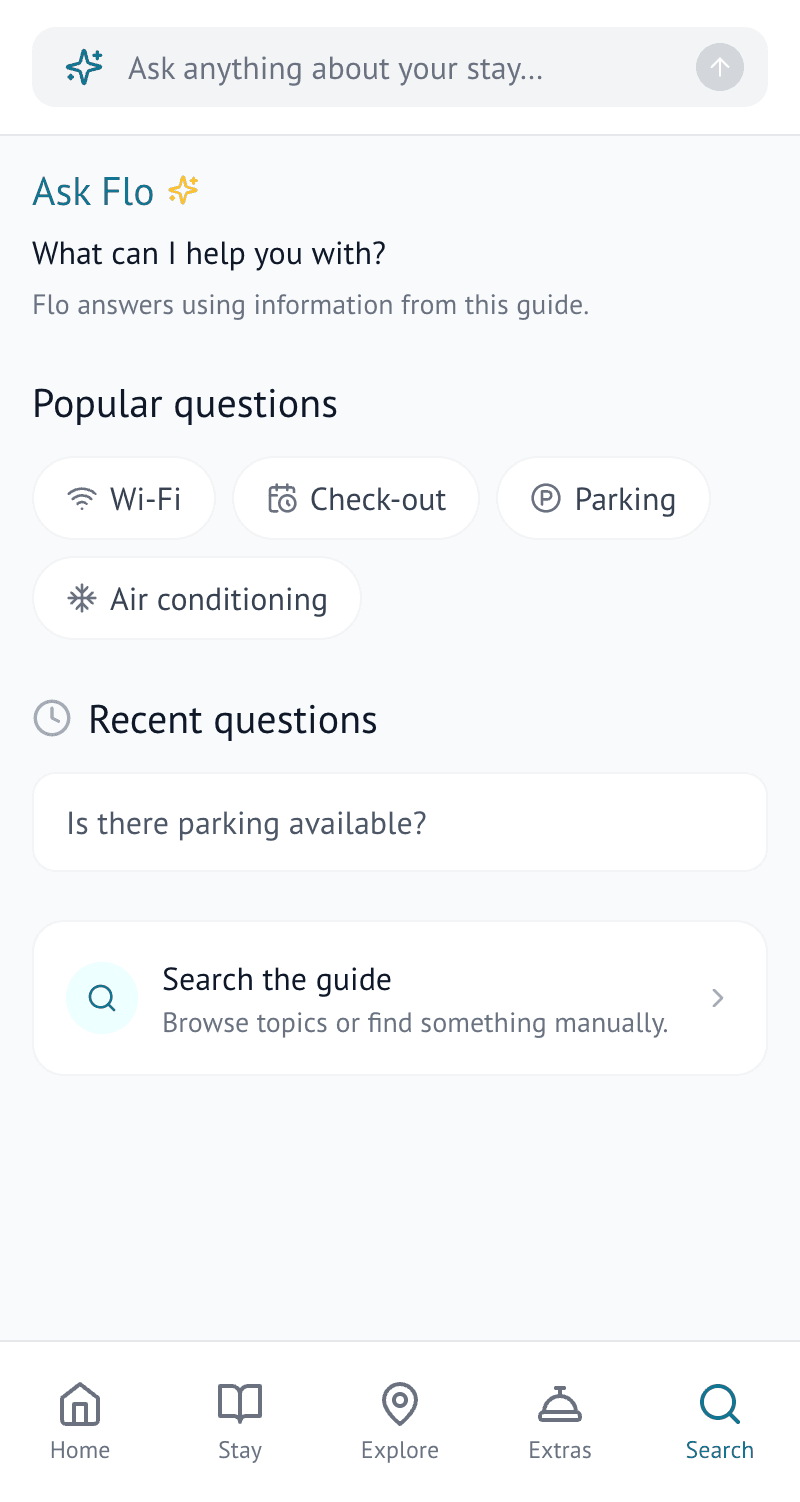
Search the guide directly, or use Ask Flo to get an answer pulled from the guide.

The Search screen of the Malibu Beach Villa guest guide, showing guide search and Ask Flo

Meet Flo

Your built-in assistant for creating, improving and managing your guest guide.

Flo works in different parts of WelcomeFlo to help you build better content, find useful recommendations and give guests quicker answers.

Ask Flo answering a guest question using the Malibu Beach Villa guest guide

Ask Flo

Answers guest questions using your guide.
Guests can ask a question in Search and get a concise answer linked back to relevant guide content.

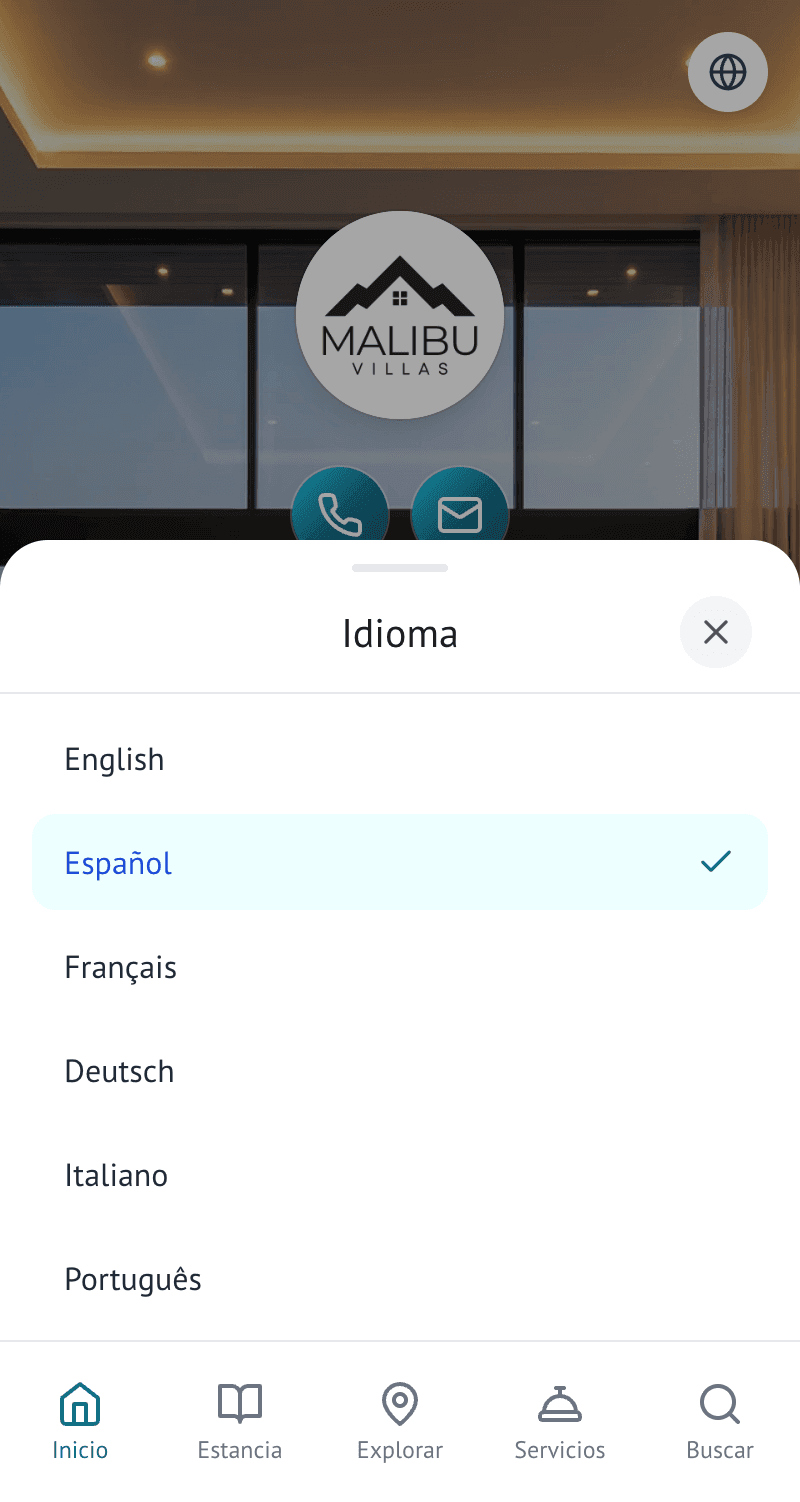
A guest choosing their preferred language inside the Malibu Beach Villa guest guide

Flo Translations

Translates guides for international guests.

Let guests view supported guide content in their preferred language without maintaining separate guides.

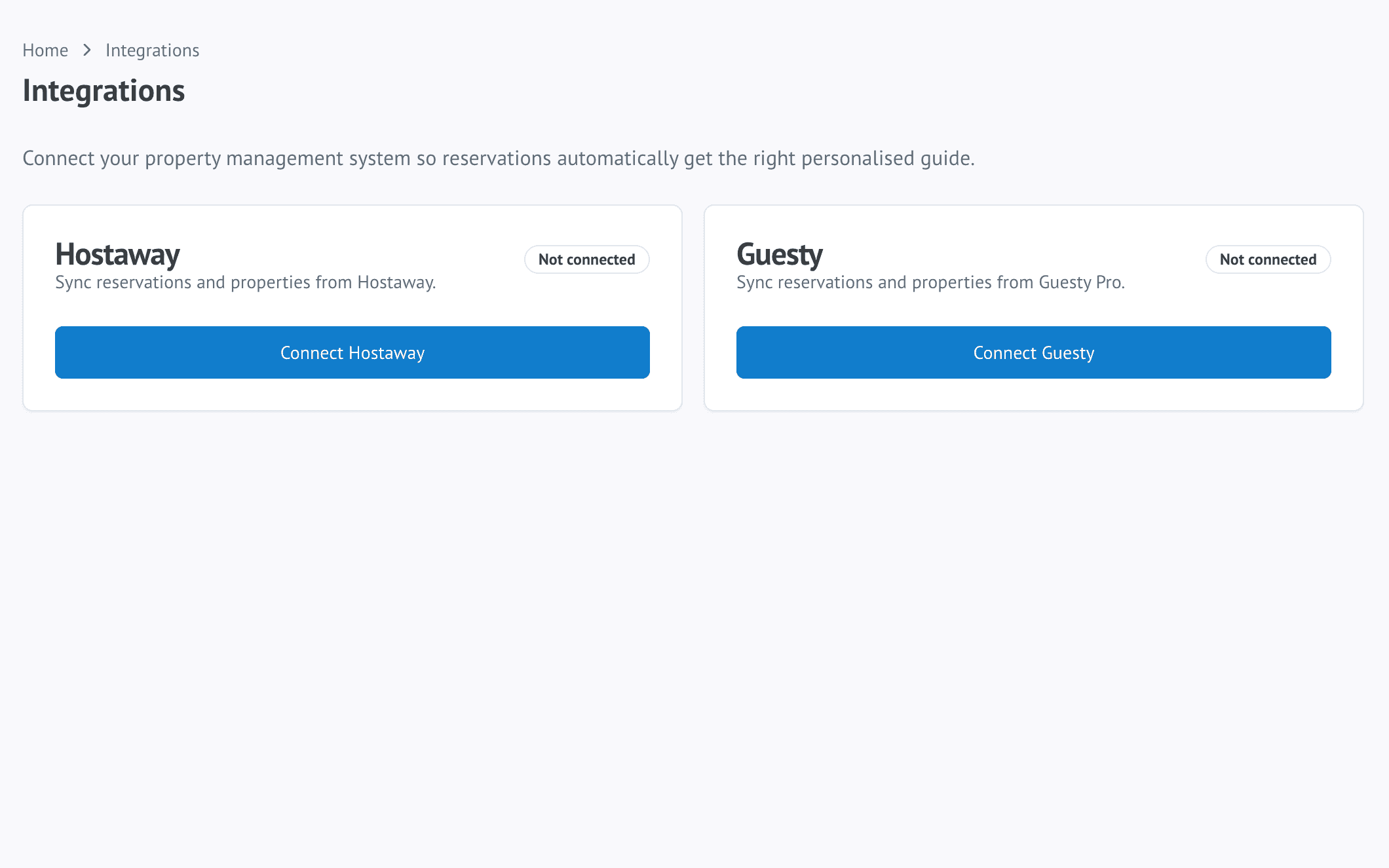
Flo Importer turning an existing listing or document into guide content

Flo Importer

Turns existing content into a WelcomeFlo guide.
Start from a supported listing, PDF or DOCX instead of rebuilding everything manually.

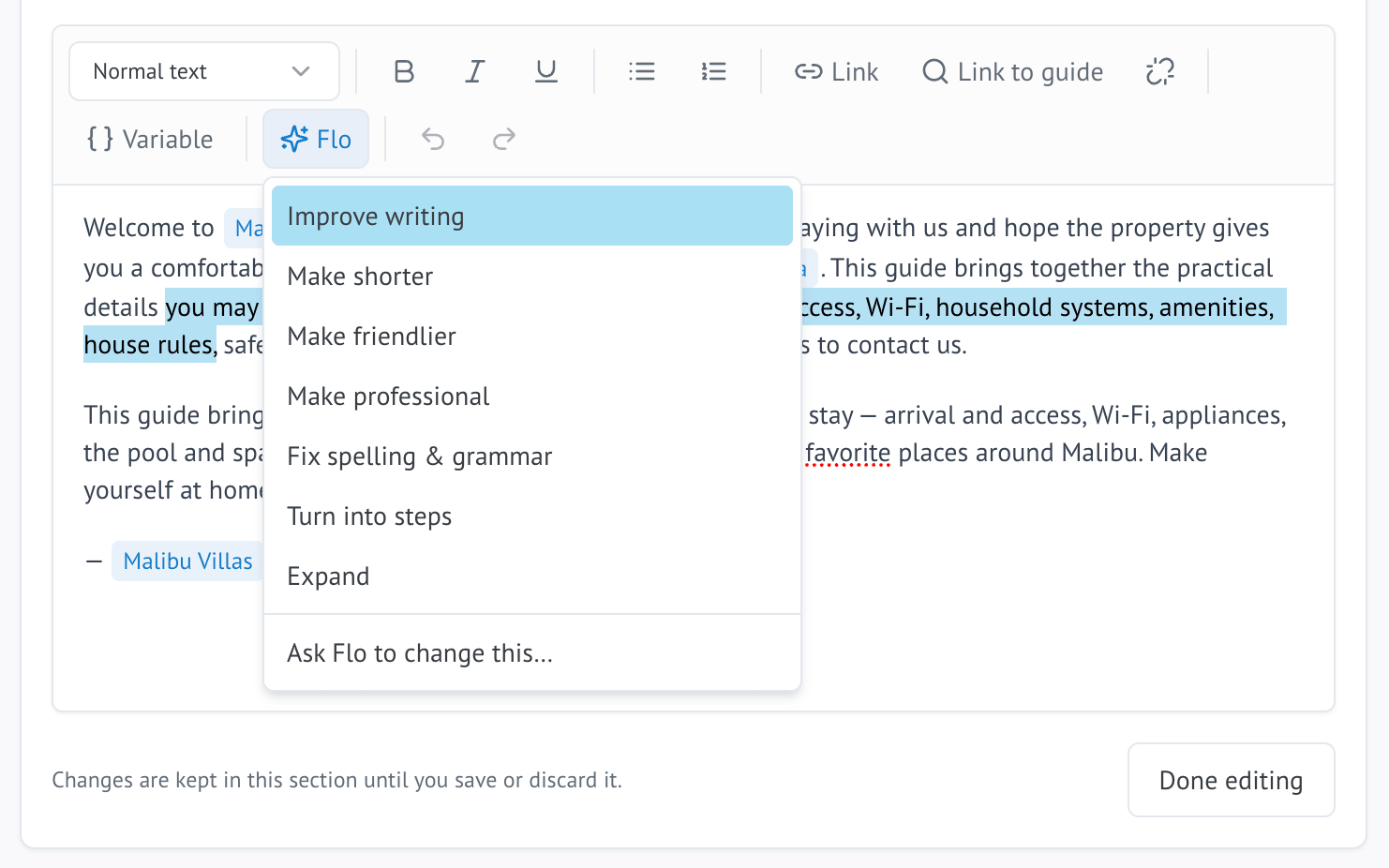
Flo Assistant offering writing suggestions for a guide section

Flo Assistant

Helps you write and improve guide content.
Rewrite, shorten, clarify or expand sections while keeping important property information intact.

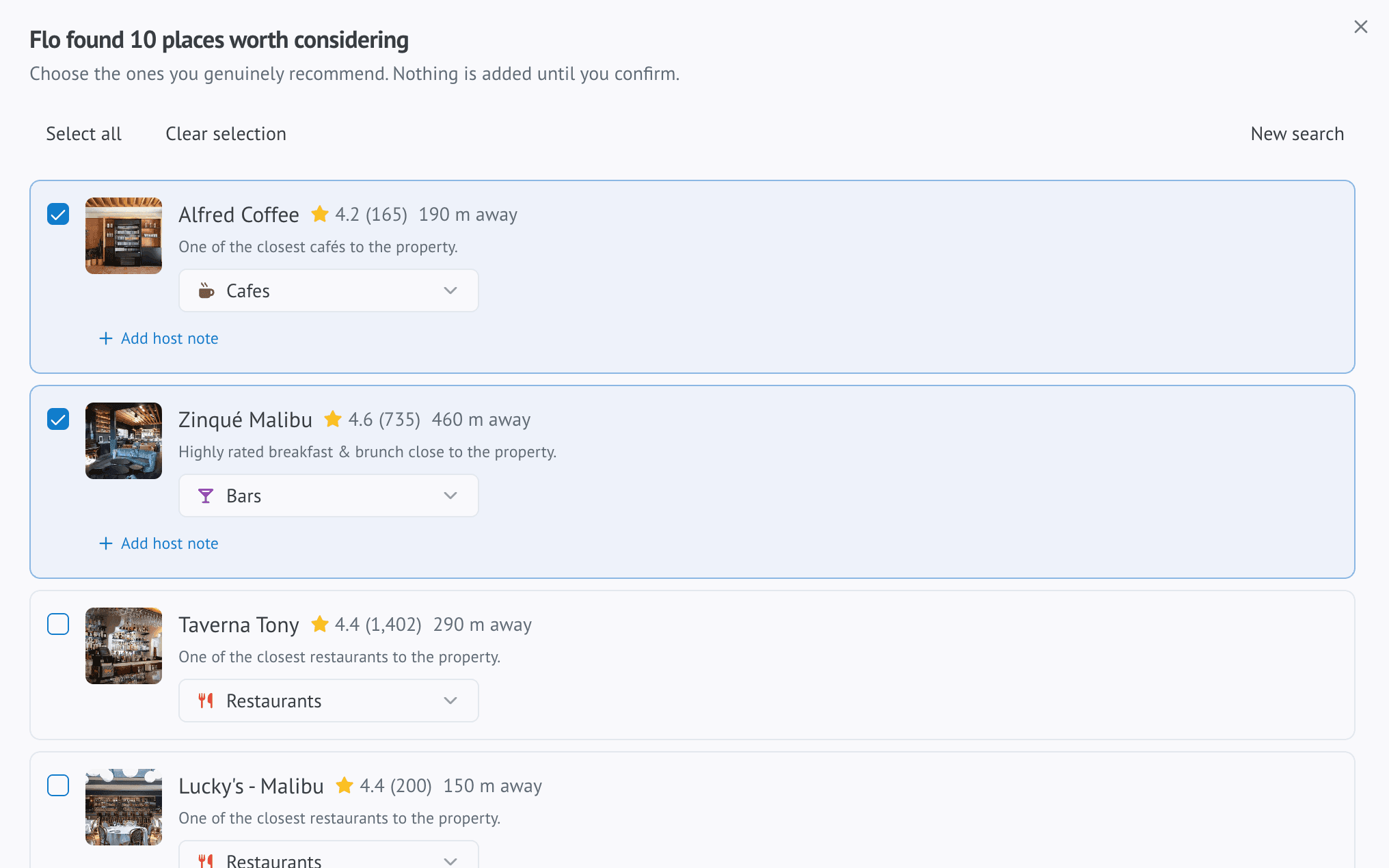
Flo Places showing nearby place recommendations for a host to review and add

Flo Places

Finds great nearby places for guests.

Discover useful local recommendations, then choose what deserves a place in your guide.

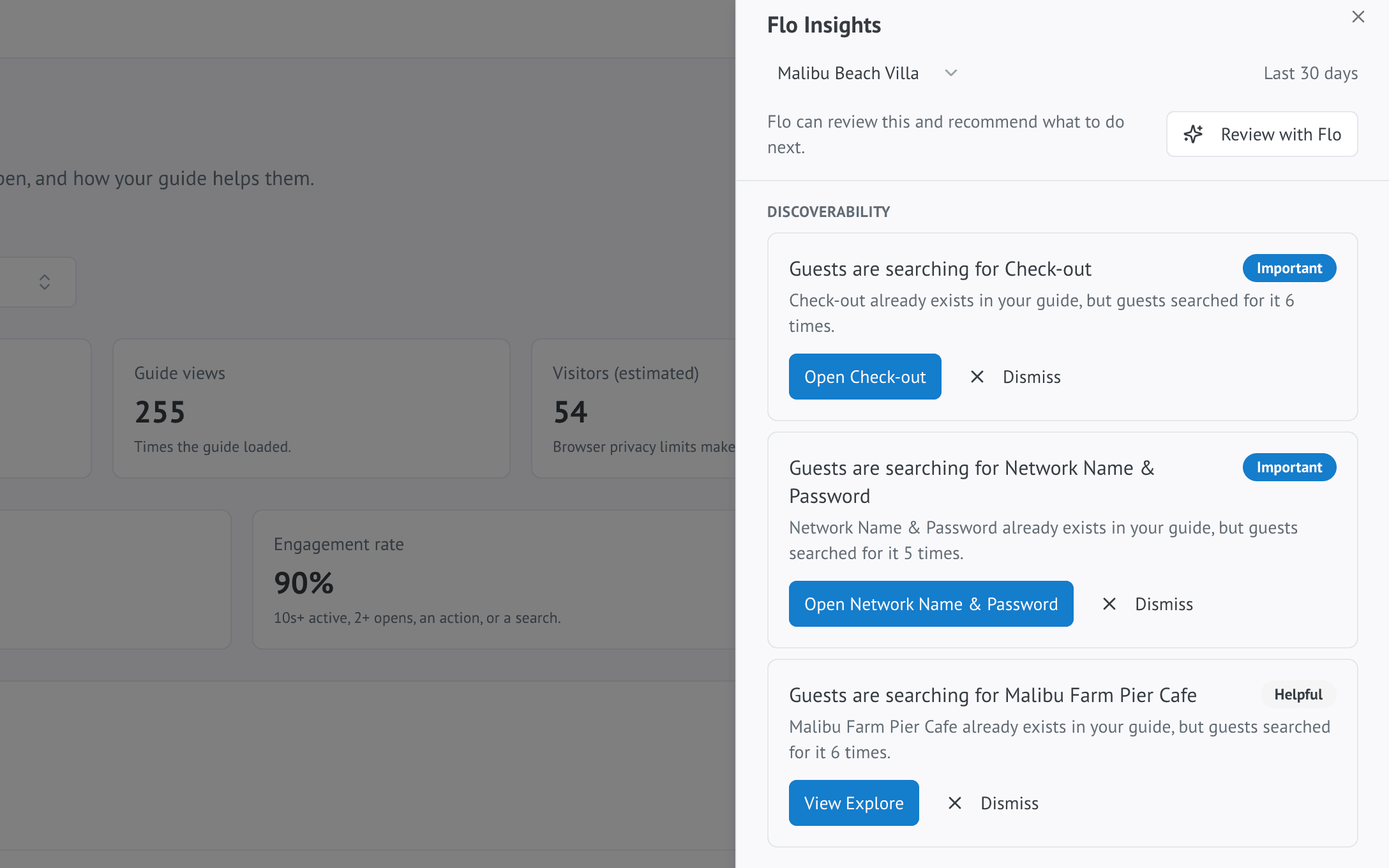
Flo Insights surfacing suggestions for improving a guide based on how guests use it

Flo Insights

Finds opportunities to improve your guide.

Surfaces suggestions based on how guests actually use your guide, with deeper AI-powered analysis on Pro and Business.

Extras

Give guests more ways to enjoy their stay.

Offer useful extras directly from the guide — from early check-in and late checkout to transfers, hampers, equipment and experiences.

Easy for guests

Guests browse and request Extras from the same guide they are already using.

Flexible for hosts

Offer fixed-price, free or price-on-request options depending on the service.

Built into the stay

Manage requests without sending guests to a separate catalogue or unrelated app.

A guest browsing Extras inside the Malibu Beach Villa guest guide
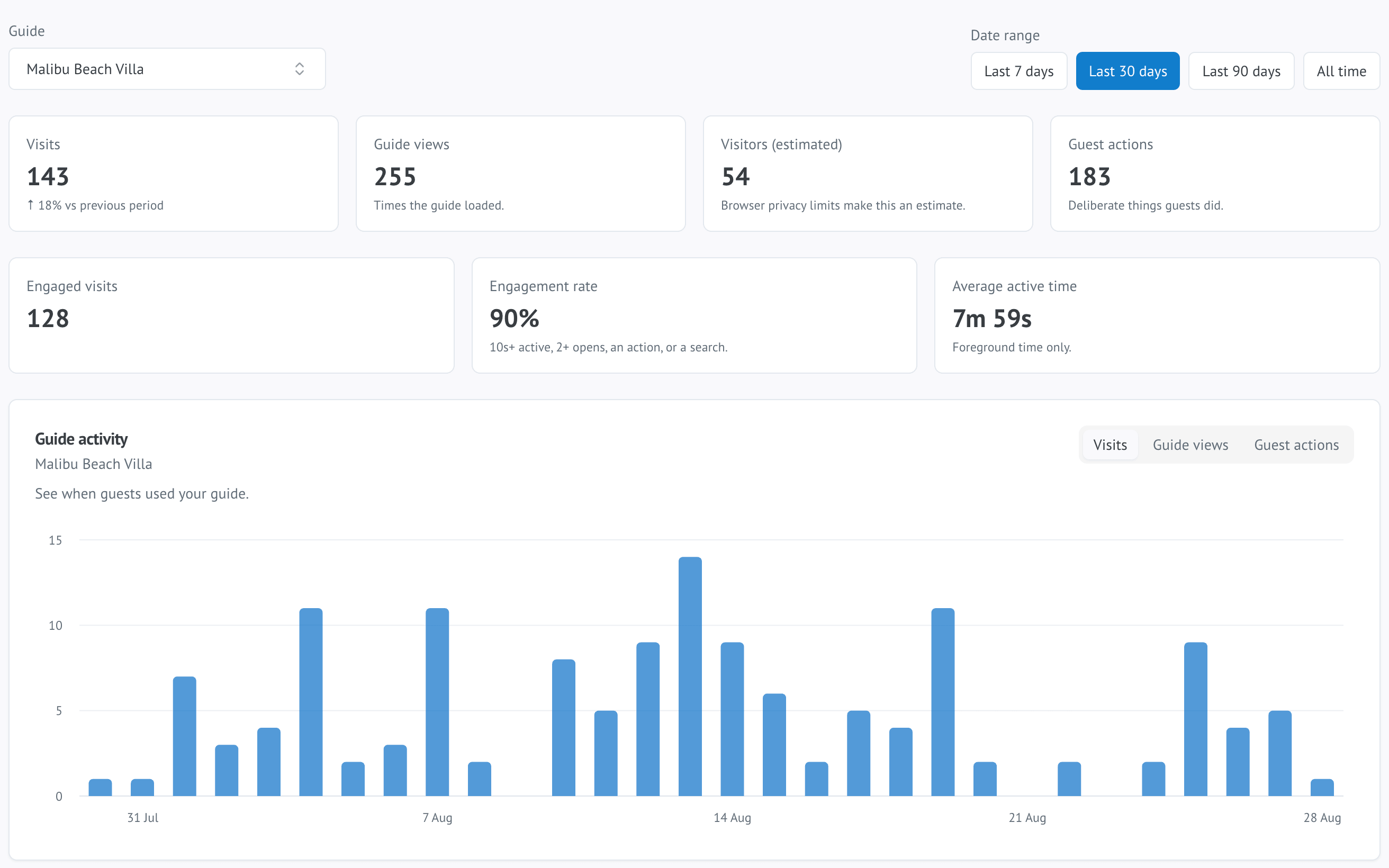
The WelcomeFlo analytics dashboard, showing guest visits, engagement and popular guide content

Guest analytics

See what guests actually use.

Understand how guests use the guide, what they search for and which content gets the most attention — visits, engaged visits, popular Stay and Explore content, search terms and Ask Flo feedback.

See analytics on the Features page

Multiple properties

Update shared content once.

Reuse common information across your properties, keep property-specific details separate and decide where each section appears.

One Content Library for shared information
Choose which guides show each section
Property-specific details stay separate
The WelcomeFlo Content Library screen, showing shared content reused across multiple guides

Templates

Start with a guide designed for your kind of stay.

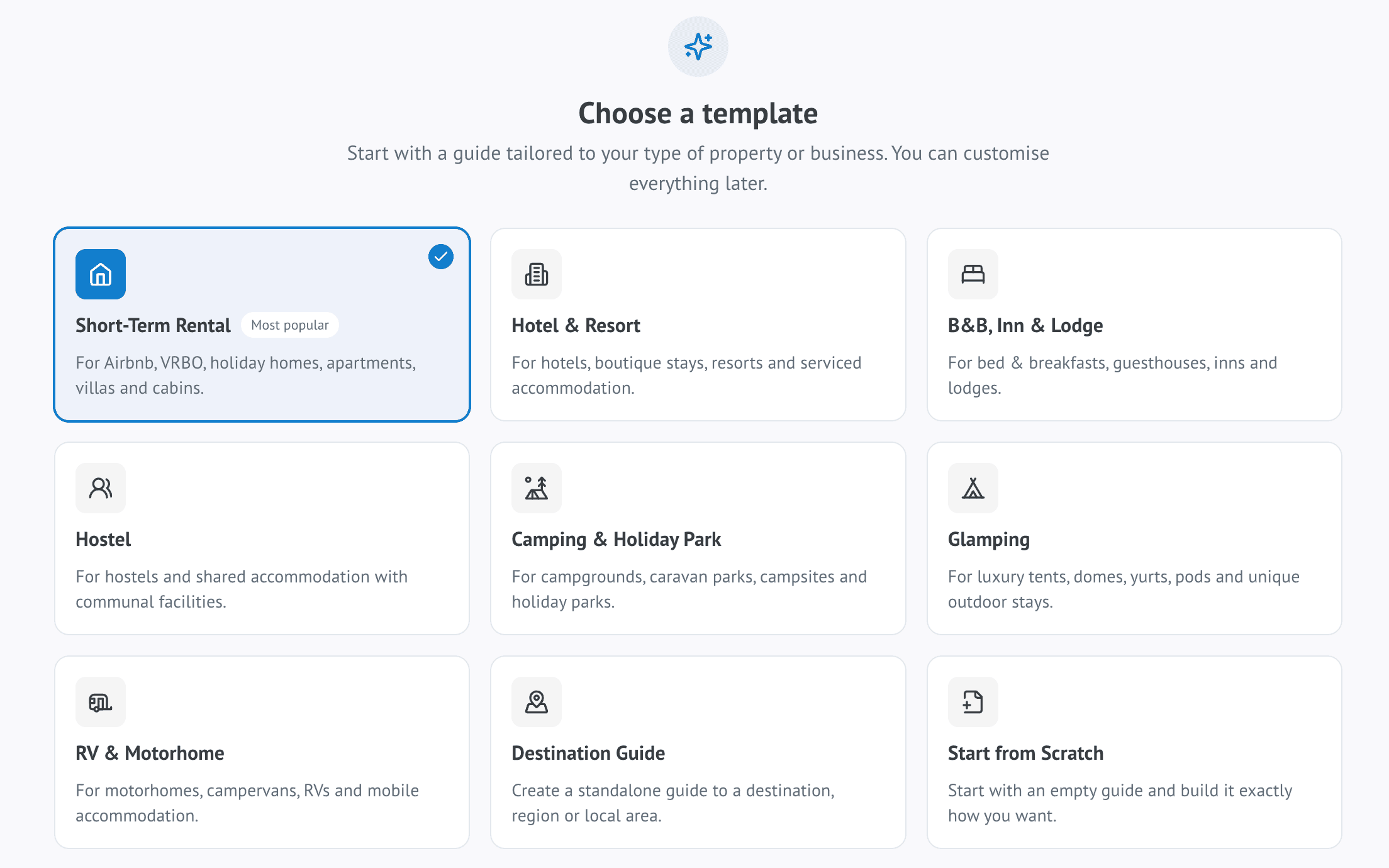
Choose a template built for your accommodation type, then customise it with your own details, photos and branding.

The WelcomeFlo template selection screen, showing guide templates grouped by accommodation type
  • Short-Term Rental
  • Hotel & Resort
  • B&B, Inn & Lodge
  • Hostel
  • Camping & Holiday Park
  • Glamping
  • RV & Motorhome
  • Destination Guide

Loved by hosts

Real outcomes, from arrival to five-star review.

Hosts use WelcomeFlo to cut repetitive messages, set up faster and give every guest a more professional stay.

Fewer guest messages
Guest messages dropped off a cliff. The Wi-Fi and check-in questions that used to fill my inbox basically stopped.

Marcus Bennett

Host · Austin, TX

Faster setup
I built our entire guide in one afternoon, and every update goes live instantly. No reprinting, no re-sending PDFs.

Emily Carter

Property Manager · Scottsdale, AZ

A more polished stay
It makes our little cottage feel like a boutique hotel. Guests now mention the guide in their five-star reviews.

James & Laura Thompson

Hosts · Cornwall, UK

Pricing

Start with one complete guide for free.

Everything you need for your first property is free forever. Upgrade as your portfolio grows.

Free

Create one complete guest guide with the essentials you need to get started.

$0free forever
  • 1 guest guide
  • Unlimited guest views
  • Start from a template, listing or document import
  • Mobile-friendly guide
  • Host logo and theme colours
Create my free guide
Most popular

Pro

Manage up to 25 guides and unlock Flo tools, shared content, analytics and Extras.

$19per month · save 21% annually
  • Up to 25 guest guides
  • Everything in Free
  • Content Library with shared content
  • Ask Flo, Flo Assistant, Flo Places and Flo Translations
  • Guest and search analytics
Compare Pro

Business

Run a larger portfolio with up to 100 guides and the tools available for growing teams today.

$49per month · save 18% annually
  • Up to 100 guest guides
  • Everything in Pro
  • Extras vendor settlement tools
  • Dedicated onboarding
  • Team accounts and permissions
Compare Business

Compare every plan on the pricing page.

FAQ

Answers to the questions hosts ask most.

Everything you need to know before you build your first guide.

Do guests need to download an app?

No. WelcomeFlo guides open instantly in any mobile browser from a link or QR code — there is nothing for guests to download and no account to create.

Is the Free plan really free?

Yes. One complete guide is free forever, with the core widgets, your branding and a QR code included — no credit card required.

Do I need to build the guide from scratch?

No. Start from a template designed for your kind of stay, import a supported Airbnb or Booking.com listing, or import an existing PDF or DOCX guide. You can also start from a blank guide if you prefer full control.

Can I import my existing guest guide?

Yes. Upload a PDF or DOCX guide and Flo Importer turns it into editable WelcomeFlo content you can refine before publishing.

Can I use WelcomeFlo with Airbnb, Booking.com or Vrbo bookings?

Yes. However you take bookings, your guide is a single link you can share through Airbnb messages, Vrbo, Booking.com, email, SMS or a printed QR code. Listing import currently supports Airbnb and Booking.com listings.

Can I add my own branding?

Yes. Add your logo, photos and colours so the guide feels like an extension of your property rather than a generic template.

Can I create guides for multiple properties?

Yes. Upgrade to Pro to manage up to 25 guides and reuse shared content across them with a Content Library.

What is Ask Flo?

Ask Flo is a guest-facing search assistant. A guest types a question in Search and Ask Flo answers using the information already in your guide, linking back to the relevant section.

Can guests view the guide in another language?

Yes. Flo Translations lets guests view supported guide content in their preferred language, on Pro and Business.

Can I update a guide after I share it?

Yes. Edit your guide any time and changes publish instantly to the same link and QR code, so every current and future guest always sees the latest version.

Ready when you are

Create a better guest experience today.

Build your first digital guest guide in minutes — free forever for one property, no credit card required.

Share by link or QR Update anytime Your branding
WelcomeFlo logo