
Create your first guide
Choose a template, import a document or generate from a listing, then get your guide ready to preview and share.
Updated
A guide is the digital welcome book for one property. This article walks through creating your first one, including the different ways you can start.
Before you start
You will need the property address, and it helps to have a few details to hand: your check-in and check-out times, the Wi-Fi network name and password, and one or two places nearby you would recommend. None of it is required to create the guide, and everything can be added later.
Start the guide
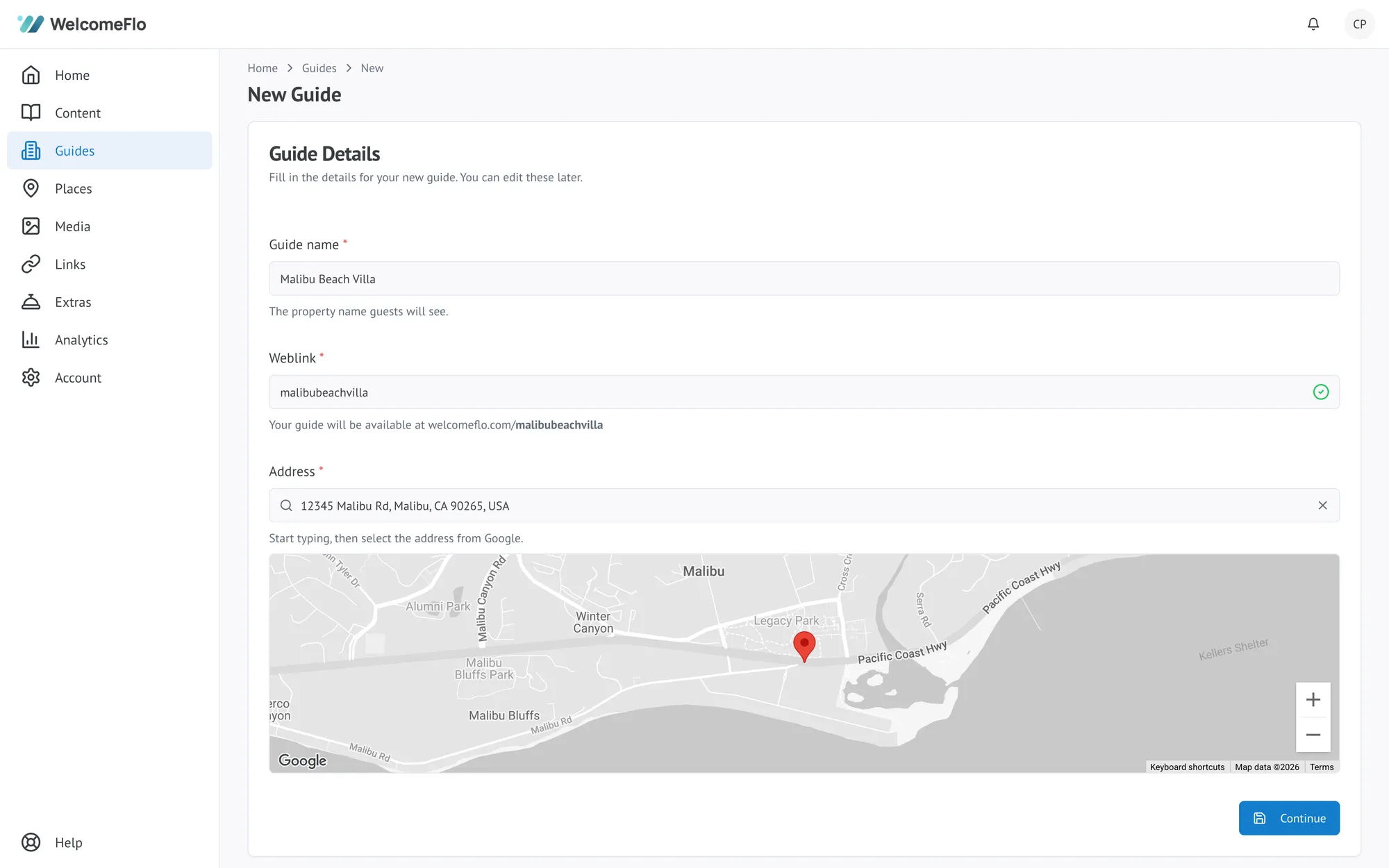
From the dashboard, open Guides and choose New guide. You will be asked for a guide name (usually the property name — guests see this, so use something they will recognise from their booking), the property address (used for maps and directions), and a web address, such as welcomeflo.com/harbourcottage.
Your web address must be between 2 and 40 characters, lowercase letters and numbers only. The availability tick beside the field tells you whether the one you want is free. Choose carefully — you can change it later, but only once every 30 days, and any QR codes you have printed will need replacing.
Choose how to fill it with content
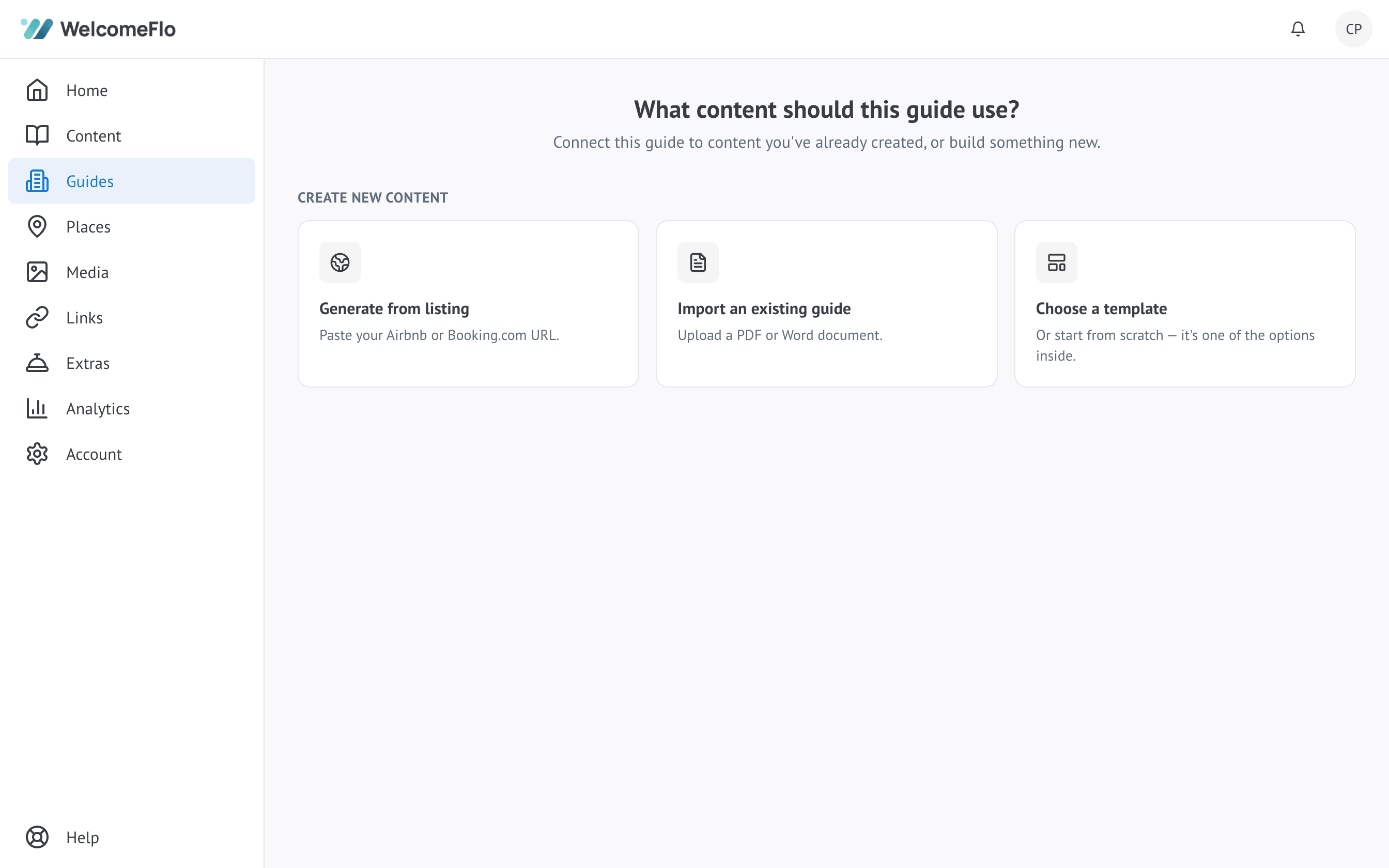
Once the guide exists, you choose how to set up its content:
-
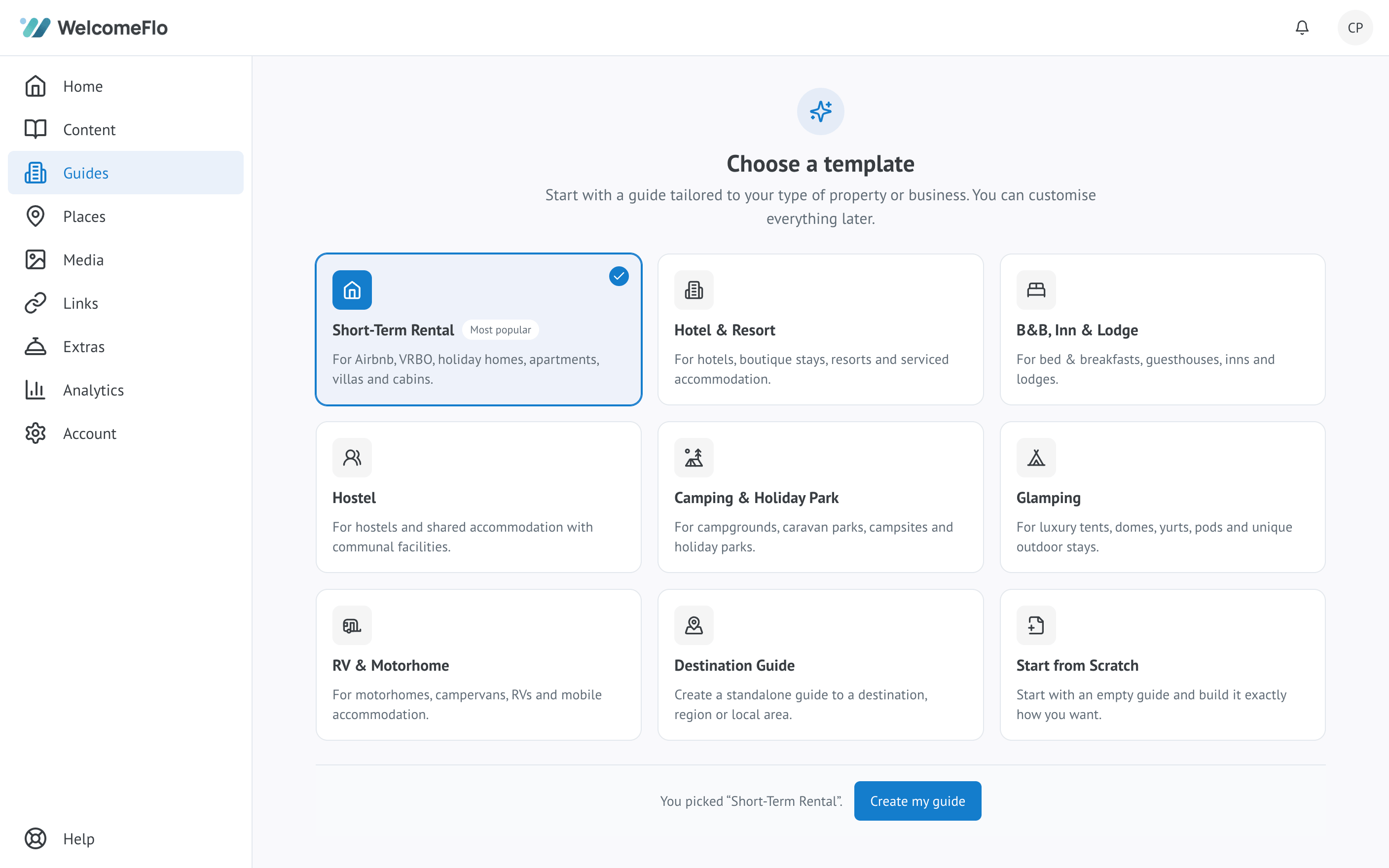
Choose a template. Pick the option closest to your type of property — short-term rental, hotel & resort, B&B, hostel, camping & holiday park, glamping, RV & motorhome, or a general destination guide — and start from prewritten sections covering arrival, Wi-Fi, house information and local recommendations. A blank guide is also available if you would rather start from nothing.
-
Import an existing guide. Upload a PDF or Word document and Flo Importer reads it and drafts a structured guide from it, ready for you to review and edit. See Import a guide with Flo Importer.
-
Generate from a listing. Paste an Airbnb or Booking.com listing URL and Flo Importer builds a starting guide from the listing description and photos.
These are equal starting points, available on every plan including Free, and none of them publish anything automatically — you always land in the editor with content to review before anyone sees it.
Review and personalise
Whichever method you use, work through the sections, replace placeholder or imported text with your own details, and delete anything that does not apply to your property. An empty section is better than a wrong one.
Preview before anyone sees it
New guides start inactive, which means only you can see them. Use the preview to check the guide exactly as a guest would, on a phone if you can, since that is how most guests will read it.
When you are happy with it, activate the guide to publish it. Nothing is shared with guests until you do.
What next
Once the guide is published you can share it with your guests by link or QR code.
