
Share your guide with guests
Get your guide in front of guests using its web link, in booking messages, emails and pre-arrival information.
Updated
Every published guide has a web address, such as welcomeflo.com/harbourcottage. Sharing the guide means sharing that link.
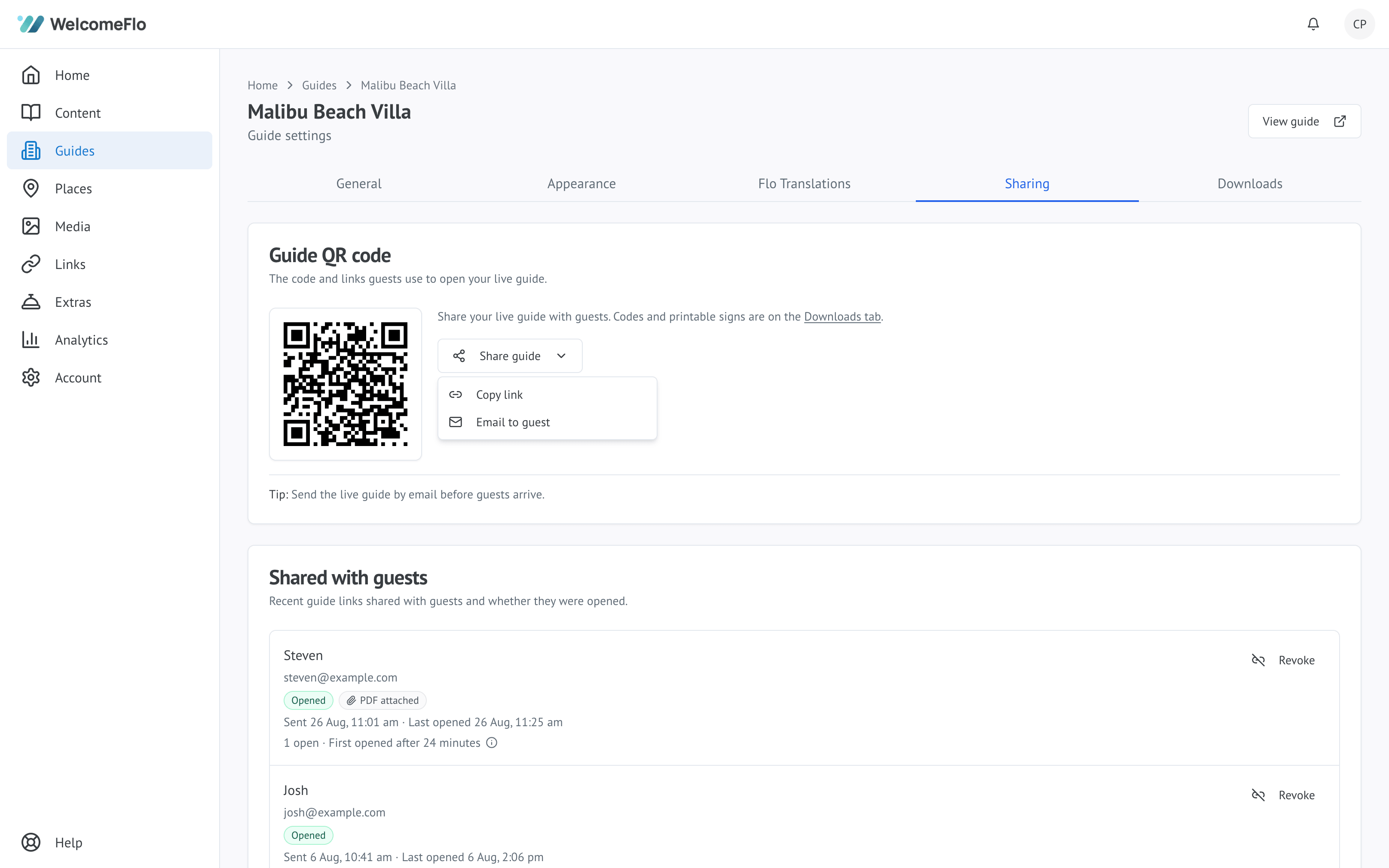
Where hosts usually share it
- In the booking confirmation message
- In a pre-arrival email a few days before check-in
- Through Airbnb, Booking.com or your property-management system's messaging
- By SMS or WhatsApp on the day of arrival
- Printed inside the property, as a QR code
Most hosts do more than one. A link sent before travel helps with directions and parking; a QR code inside the property helps once guests have arrived.
Send it before check-in
The most useful moment for a guide is before a guest reaches the property, when they still need directions, parking and arrival instructions. Sending it at check-in is late.
Guests do not need an account
There is no app to install, no account to create and no password. A guest taps the link and the guide opens in their browser.
That also means anyone with the link can open it, so only publish information you are comfortable being seen by anyone who receives it.
Keeping the link working
Editing your guide never changes its web address, so a link you have shared keeps working no matter how much you change the content.
Changing the web address is the one thing that affects existing links — see what happens to old links and QR codes.
