
Download a PDF of your guide
Export a printable PDF version of your guide, choose what it includes, and understand what it deliberately leaves out.
Updated
Alongside the live guide, you can export a printable PDF — useful for a printed welcome folder, or for guests who prefer paper. It is available on Pro and Business; Free keeps the live guide and QR code.
Exporting a PDF
Open your guide's Downloads tab and choose to export a PDF. You can choose:
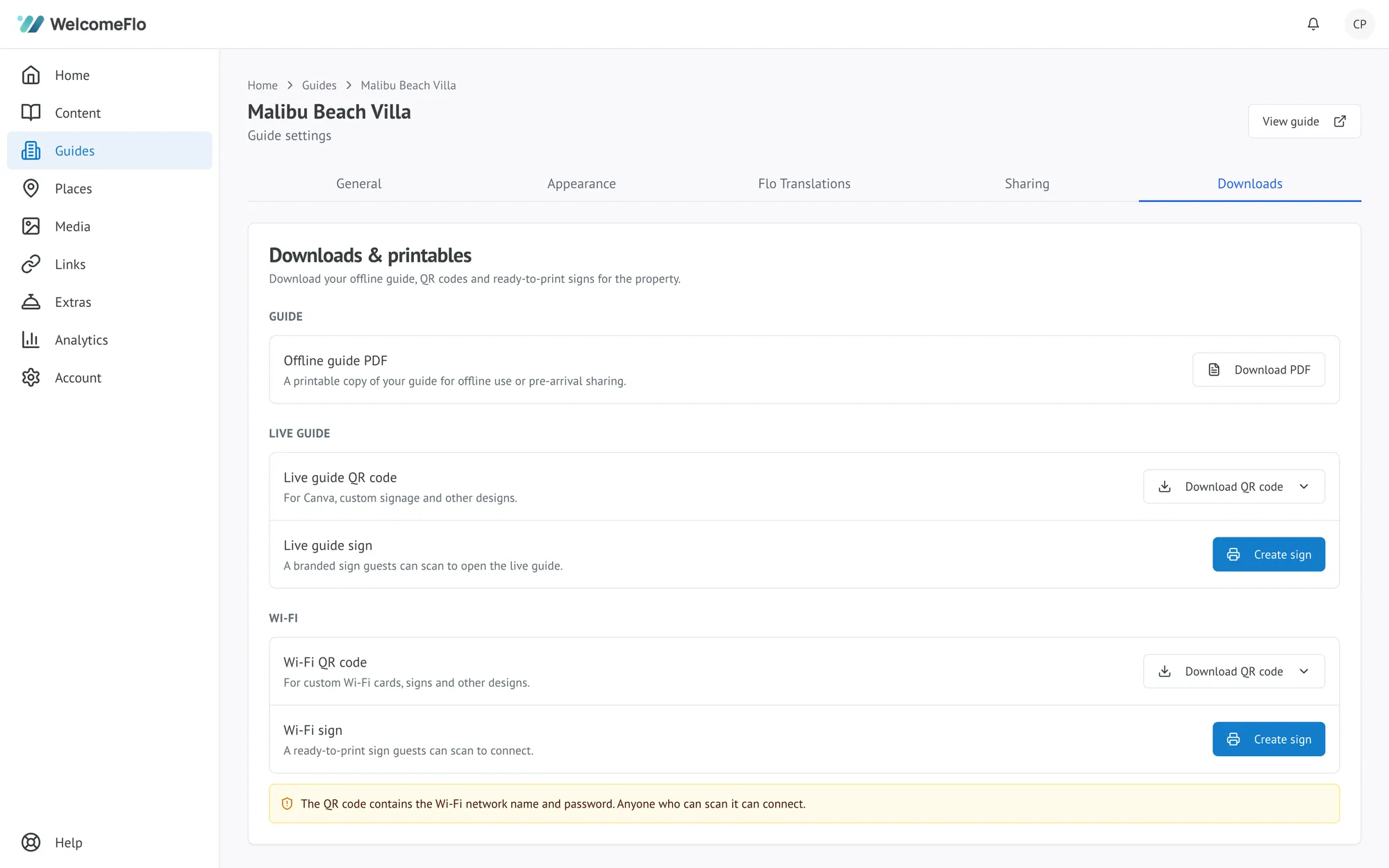
- What to include — the whole guide, only your Stay content, or specific categories
- Explore places, if your guide has any
- Extras, shown automatically if your guide currently offers any
- The QR code, so a paper copy still points back to the live guide
- Cover image and host logo
- Paper size — A4 or US Letter
What a PDF leaves out on purpose
A PDF is a snapshot, not a live copy. Anything that only makes sense while it is current — a map you can pan, opening hours that check today's date, live weather, and a link you might fix tomorrow — does not belong on paper, so the export leaves these out rather than printing something that could go stale or mislead a guest. The PDF states plainly when it was generated and points back to the live guide as the up-to-date version.
Keeping a printed copy current
A PDF is fixed at the moment you export it. If you make meaningful changes to your guide, export a fresh copy rather than relying on an old one — there is no automatic re-export.
