
Write and edit with Flo Assistant
Use Flo Assistant in the content editor to write a first draft, rewrite, shorten or fix text, and turn instructions into clear steps.
Updated
Flo Assistant is a writing helper built into the content editor. It works on the text you have already written, or writes a first draft from your rough notes — available on Pro and Business.
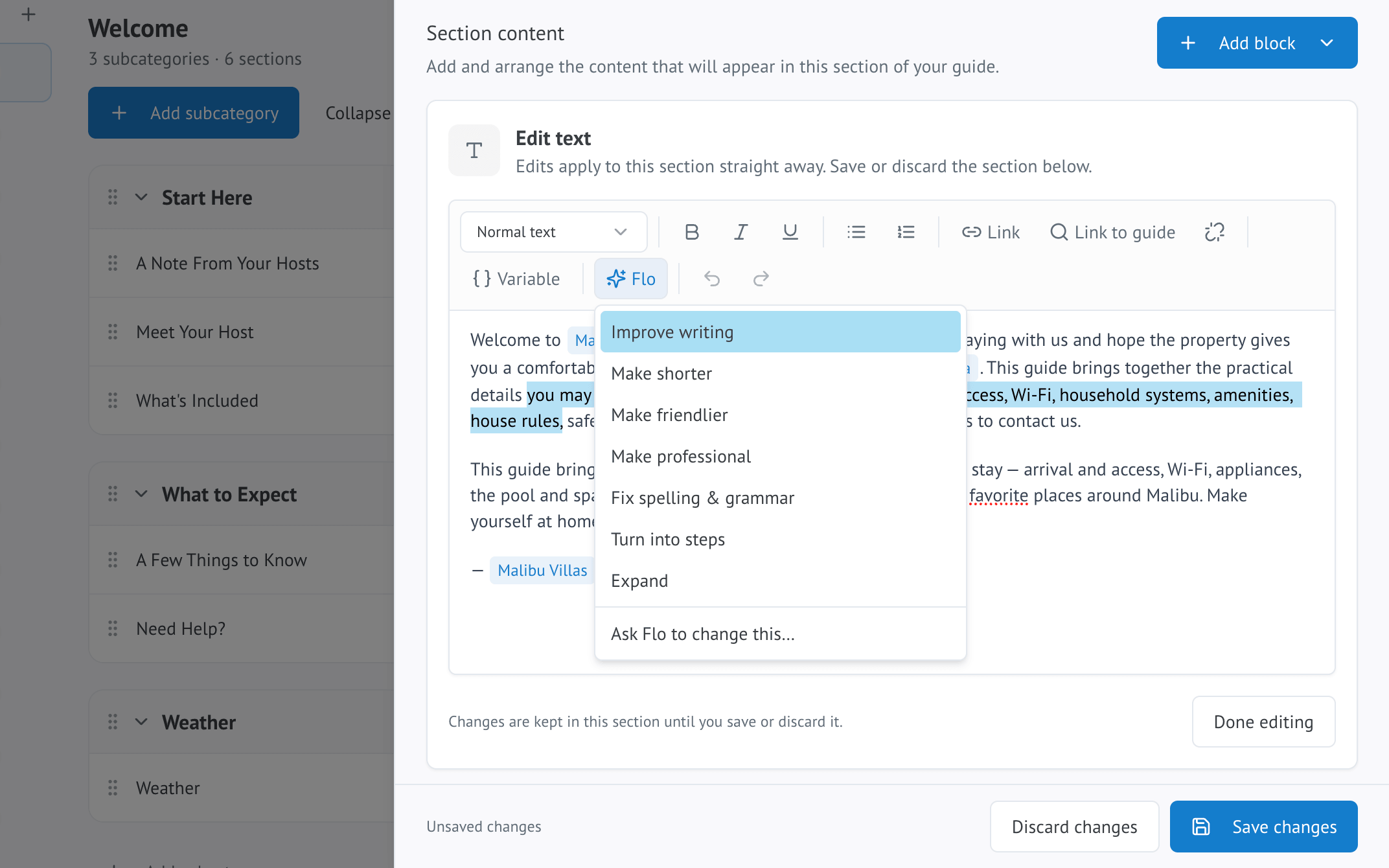
Writing a first draft
Open the Flo menu on a blank or existing section and choose Write with Flo. Describe what the section should cover in your own words, or a rough list of points, and Flo writes a draft in full sentences. If the section already has content, Flo reads it first so the new text does not repeat what's already there.
Editing existing text
Select any text in the editor, or leave nothing selected to work on the whole section, then choose one of Flo's actions:
- Improve writing — tightens up phrasing without changing the meaning
- Make shorter — trims it down while keeping the key points
- Make friendlier — warms up a formal tone
- Make professional — the reverse, for a more polished tone
- Fix spelling & grammar — corrects errors without rewriting your voice
- Turn into steps — converts a paragraph of instructions into a numbered list
- Expand — adds useful detail to something too brief
- Ask Flo to change this… — a custom instruction, for anything the ready-made actions do not cover
Filling in missing details
Flo can also flag a section that looks thin — an appliance instruction with no steps, a Wi-Fi section with no password — and suggest the specific detail it is missing. Answer the prompt and Flo adds it to the section for you, in your own words rather than a guess.
Reviewing Flo's suggestion
Flo's rewrite always appears as a suggestion first. You can accept it, discard it, or ask for something different — nothing replaces your text until you approve it.
