
Invite a team member
How to invite someone to your WelcomeFlo account, what happens to the invitation, and how to resend or revoke it.
Updated
Go to Team in the dashboard and select Invite member. Only the Owner and Admins can do this.
Before you start
- Team members are a Business plan feature. On Free or Pro, the Team page shows an upgrade prompt instead of an invite button.
- Your account has a seat limit (10 on Business, including you). A pending invitation reserves a seat until it's accepted, revoked, or expires — so if you're at your limit, revoke an old invitation or remove a member before inviting someone new.
Send the invitation
- Open Team and select Invite member.
- Enter the person's email address.
- Choose their role: Admin, Editor or Viewer. (You can't invite someone as Owner — there's only ever one.)
- If you chose Editor or Viewer, choose their guide access: all guides, or specific selected guides. Admins always have access to every guide, so this step is skipped for them.
- Select Send invitation.
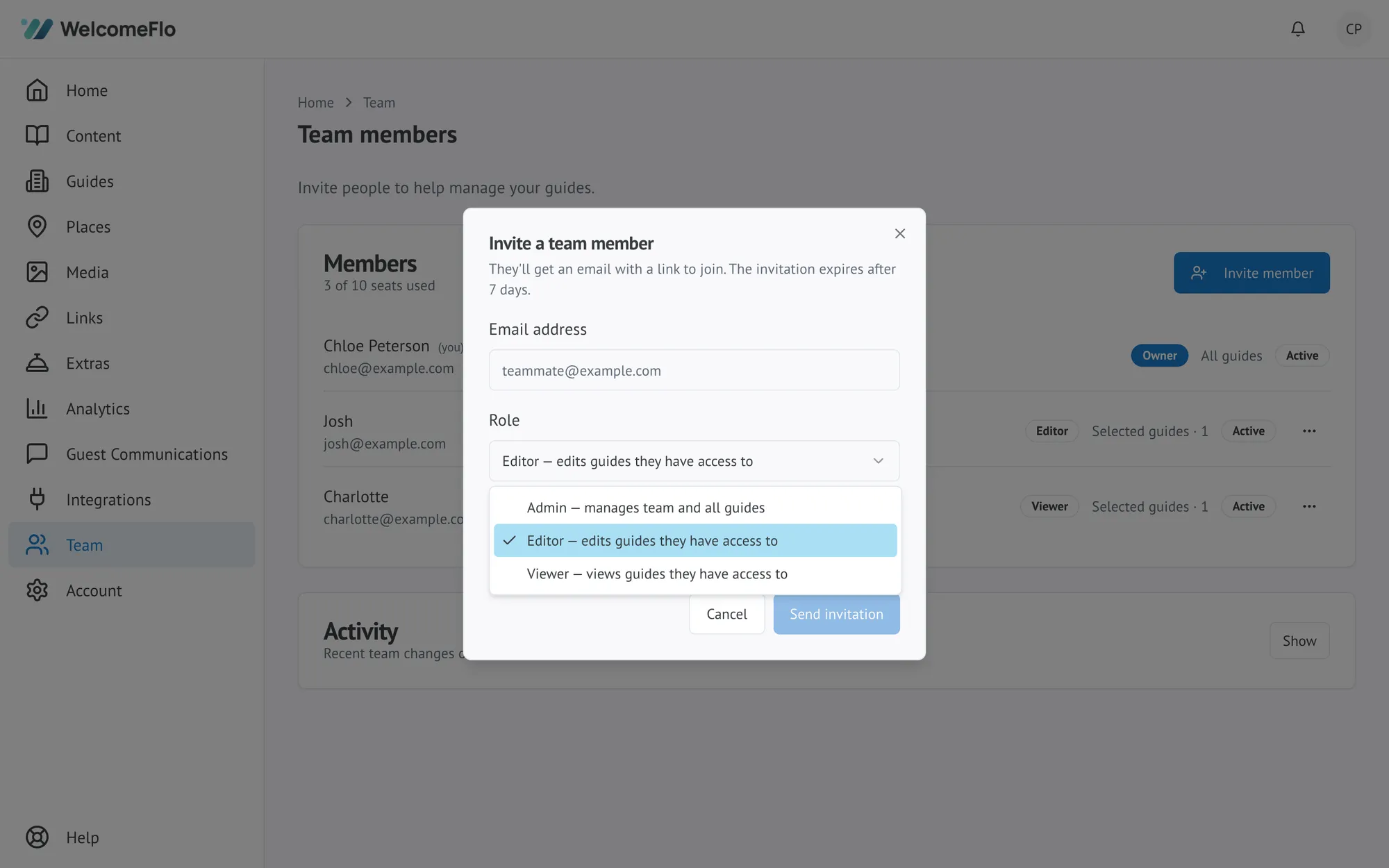
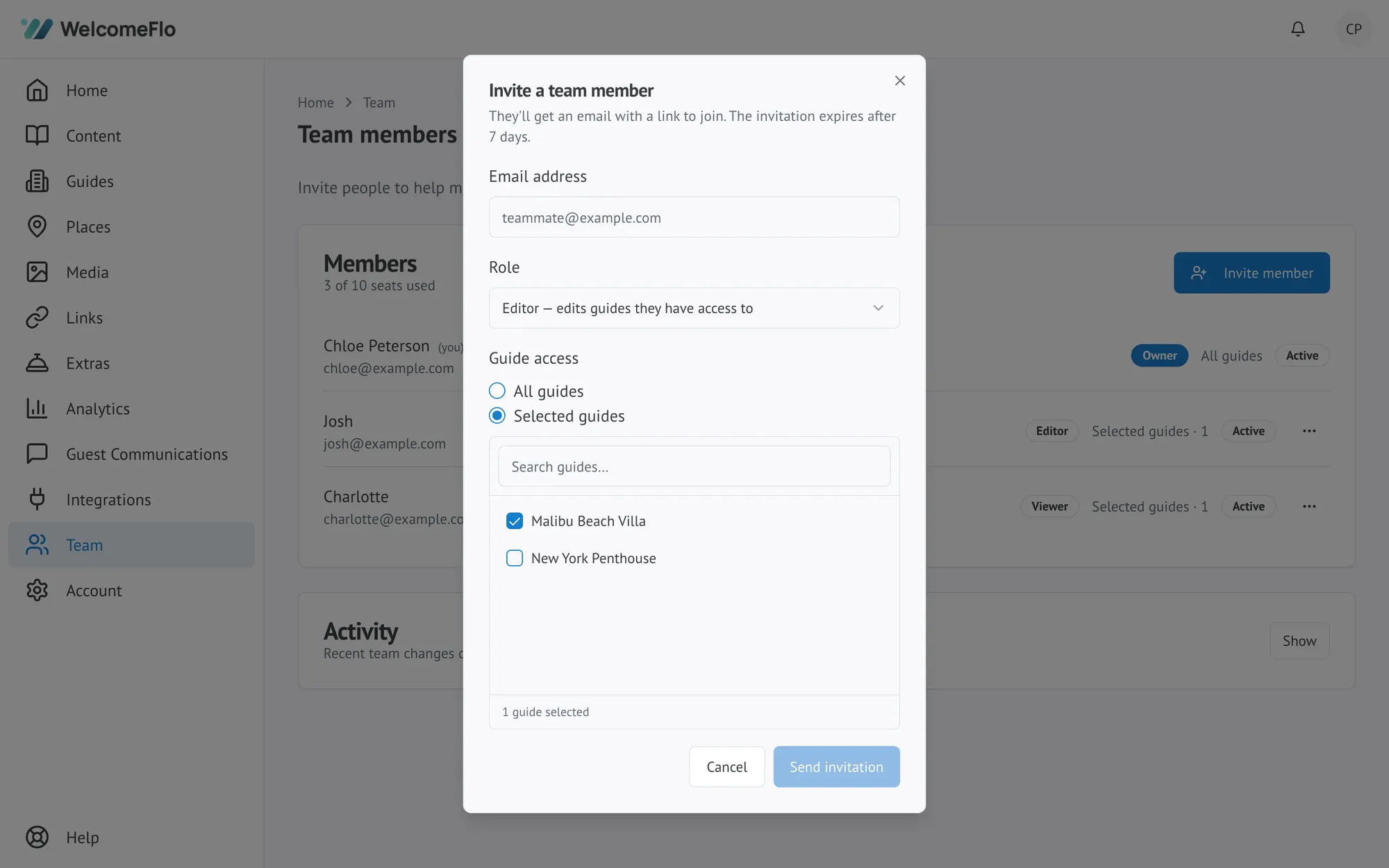
They'll get an email with a link to join. The invitation expires after 7 days.
What the invited person sees
They open the link and land on a page to join your account:
- If they don't have a WelcomeFlo account yet, they create one.
- If they already do, they sign in.
- Once signed in with the same email address the invitation was sent to, they select Accept invitation to join with the role and guide access you set.
If they're signed in under a different email than the invitation, WelcomeFlo tells them and offers to sign out and continue as the invited address — an invitation can only be accepted by the email it was sent to.
Pending invitations
Invitations waiting to be accepted show under Pending invitations on the Team page, along with their role, guide access and expiry date. From there you can:
- Resend — sends a fresh link with a new 7-day expiry. Useful if the original expired or got lost.
- Revoke — cancels the invitation immediately. The old link stops working.
Inviting the same email address again while an invitation is still pending simply refreshes that invitation (new role, new access, new expiry) rather than creating a duplicate.
If it doesn't work
- "This person is already on your team" — they already have an active membership on this account. Change their role from the member list instead of inviting them again.
- "Your team is at its plan limit" — remove a member, revoke a pending invitation, or upgrade for more seats.
- A user can belong to more than one WelcomeFlo account at once (for example, a freelance co-host managing several owners' properties). Inviting someone doesn't affect any other account they're already a member of.
